Displaying rental items on the hotel room plan is important for providing a complete overview of all resources booked by guests. It helps staff easily track which items are in use, prevent double bookings, and ensure everything is prepared on time, improving both operational efficiency and guest satisfaction.
Property Types on the Room Plan
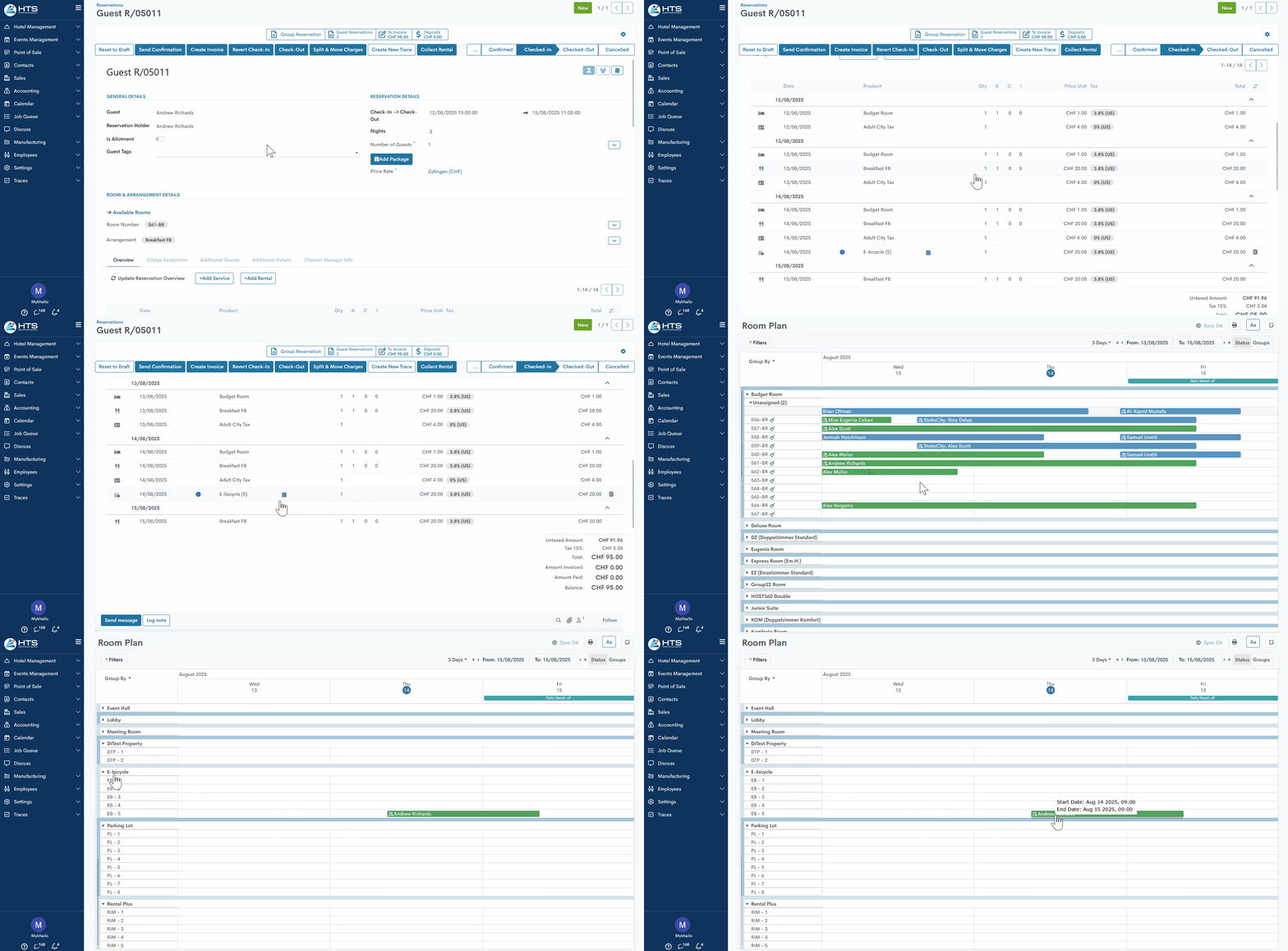
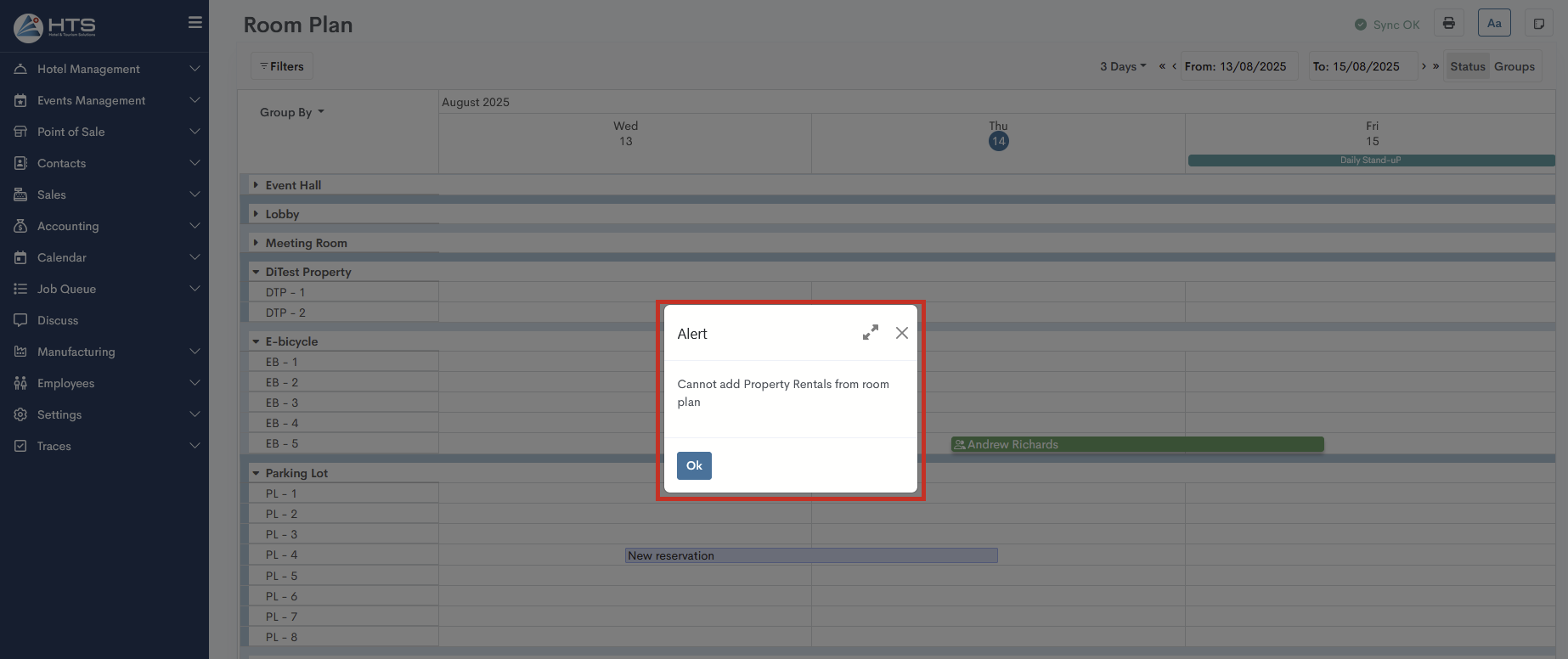
As described in the Property Types article, the user can enable a checkbox to make a specific property rental type visible on the room plan. On the room plan, property rental types are always displayed at the bottom of the list as a separate section, with possibility to extend or collapse it. If a rental item is added to a reservation, its bar will be shown in the corresponding row, with the date and time matching the rental period, along with the guest’s name and all icons that are also present in the reservation bar, including the current color status of the hotel reservation. Hovering over a rental bar displays information about its start and end date and time.
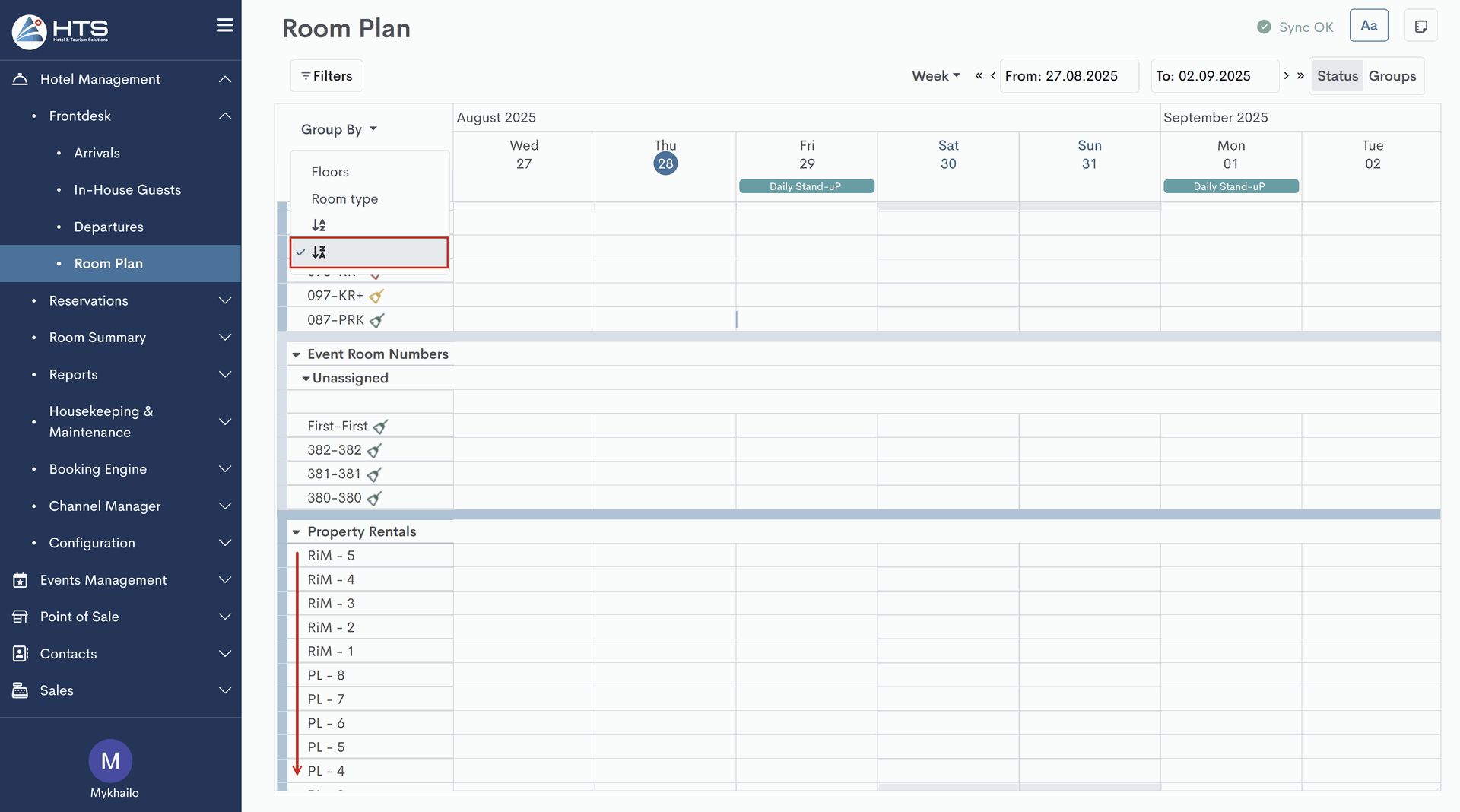
It is essential to note that when applying the 'group by' or 'sort by' options, the system retains all rental property types at the bottom of the room plan, keeping them separate from hotel/event rooms while still applying the selected sorting mode (e.g., Z→A). In a separate article, you can also learn more about applying filters for property types.
Momentan sind keine Kommentare vorhanden.
, um als erster einen Kommentar zu hinterlassen.