The primary purpose of the Room Plan is not only to provide a visual representation of all reservations for a selected period but also to allow users to create and modify reservations directly from this interface. This functionality enables quick adjustments to bookings, efficient room allocation, and immediate response to guests’ requests. By combining visualization with editing tools, the Room Plan serves as a central workspace for managing occupancy and operational tasks in real time.
Create a reservation via Room Plan
To create a reservation via the Room Plan, follow these steps:
- Open Hotel Management.
- Navigate to Room Plan through the Front Desk menu.
- Select the desired room.
- Click on the intended check-in date and drag the reservation bar to the desired check-out date.
- Enter the required details — such as the guest’s name, arrangement type (e.g., breakfast, half-board), and any other relevant information — then save the changes.
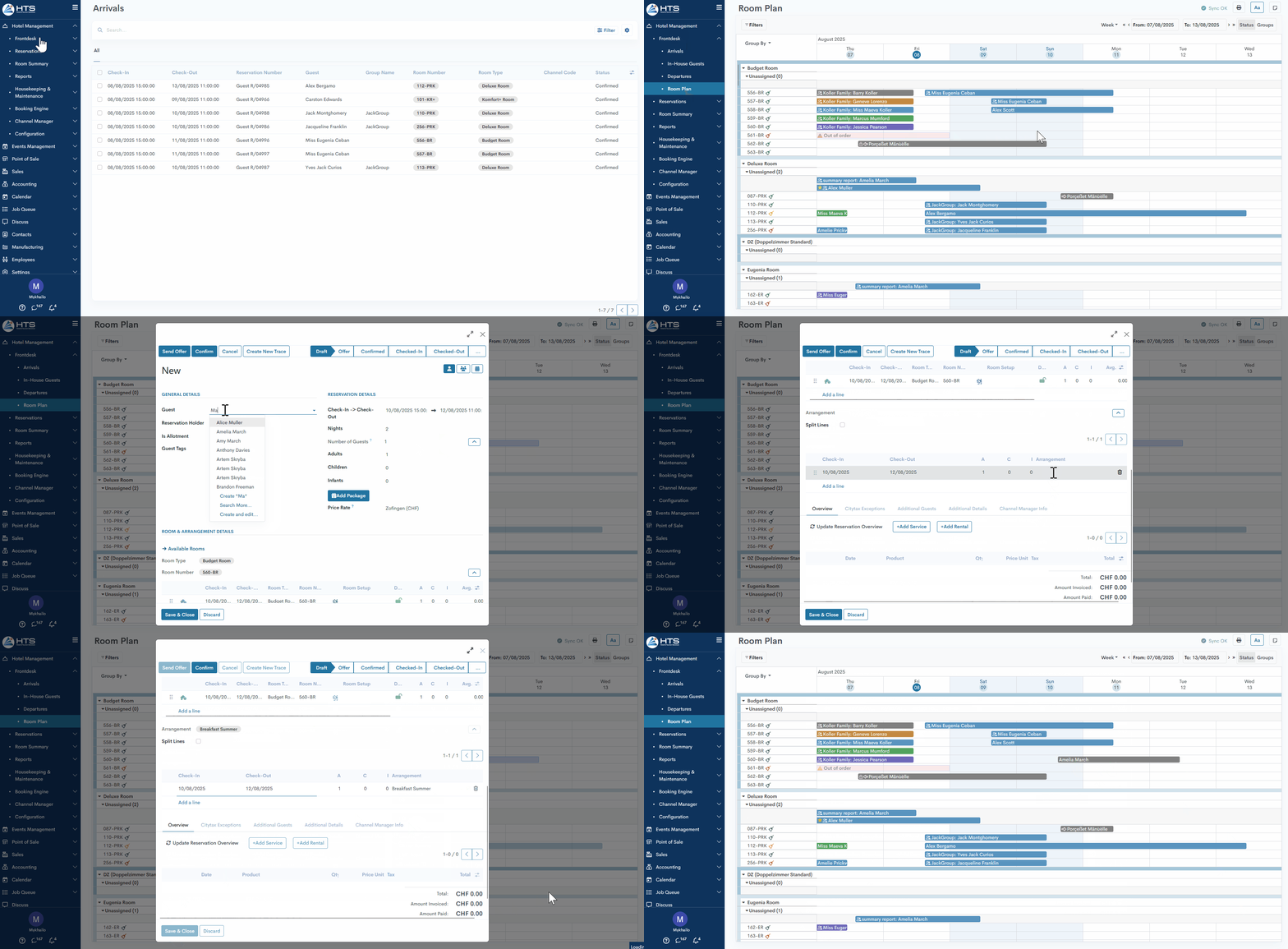
When searching for available rooms, users can scroll down through the Room Plan or navigate forward in the calendar to check future availability. If a reservation is created in this scenario, the system preserves the user’s context to ensure a seamless experience.
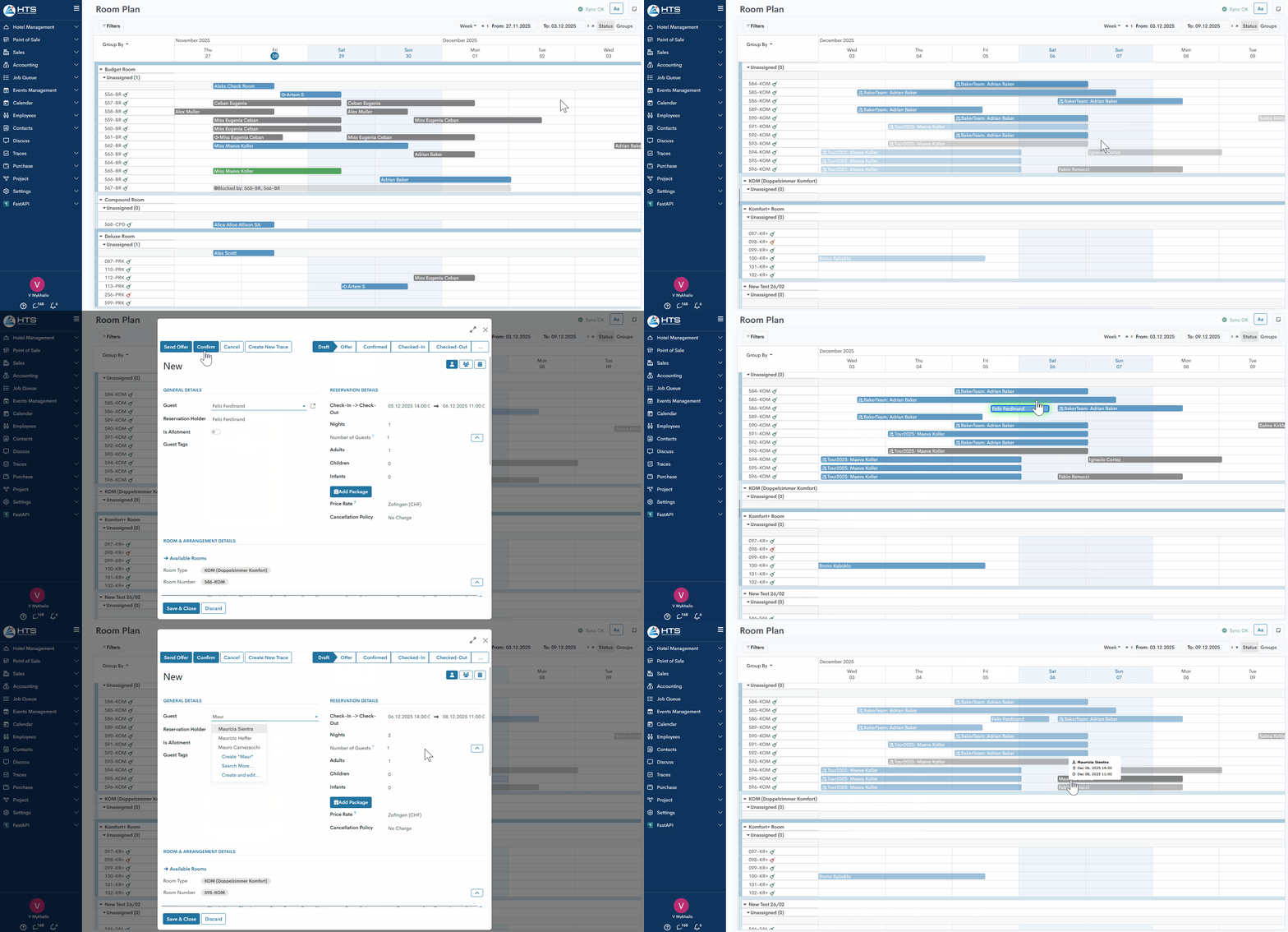
After creating the reservation and clicking Save:
- The system keeps the user in the same room category they were viewing before creating the reservation.
- The system preserves the selected date range, so there’s no need to scroll the calendar again.
- The newly created reservation is briefly highlighted for a few seconds to draw the user’s attention. This is especially helpful when the category is heavily booked, making it easy to lose track of the newly created booking.
This behavior improves usability and ensures the created reservation is not overlooked.
Change reservation dates
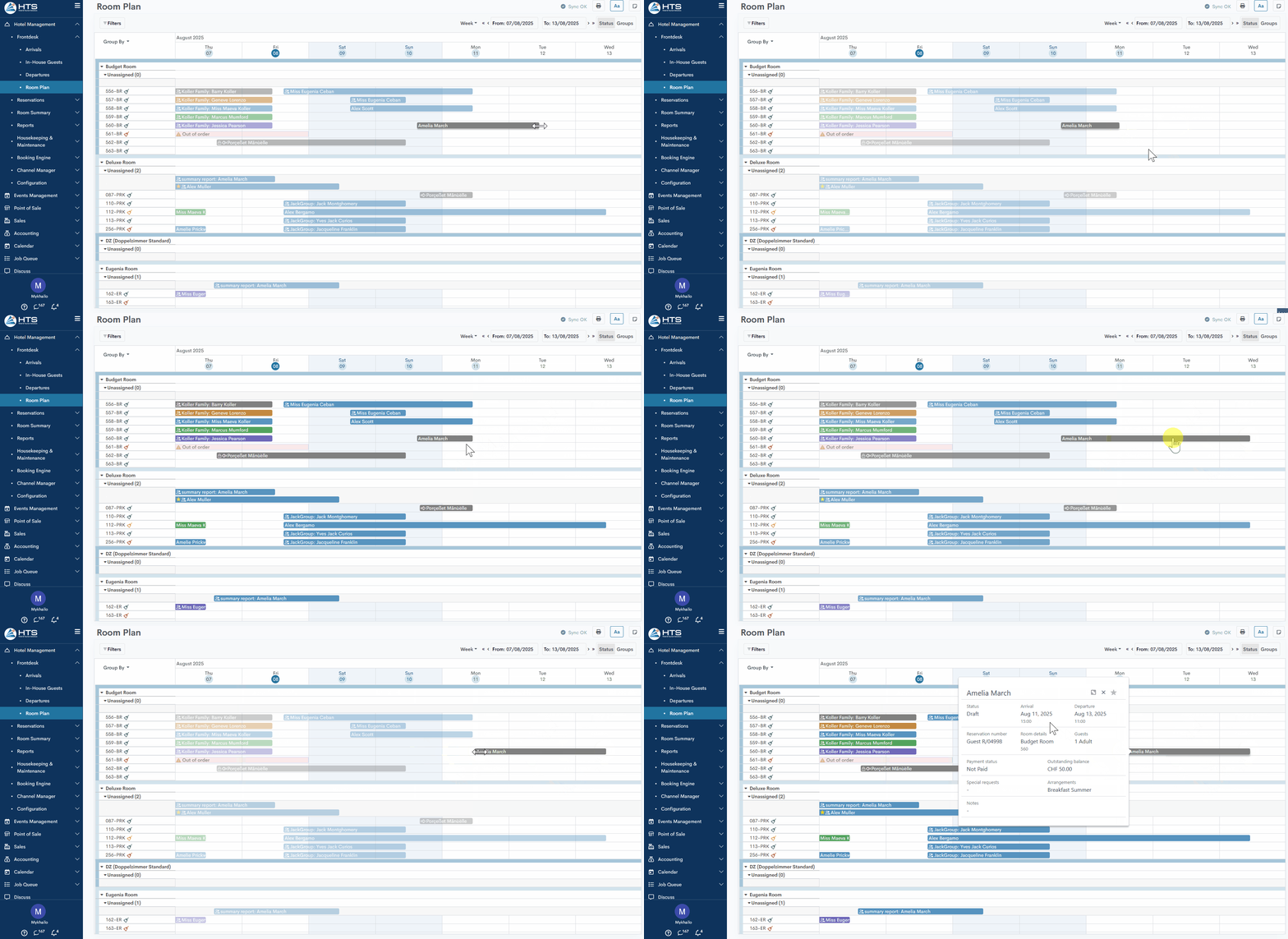
Through the Room Plan, the system allows users to modify reservation dates; however, certain validations apply depending on the reservation type:
- Room/Room Set/Unsplit Group reservations - When hovering the mouse cursor over one end of a reservation bar, the system allows the user to adjust the check-in or check-out date if the reservation is in Draft, Offer, or Confirmed status.
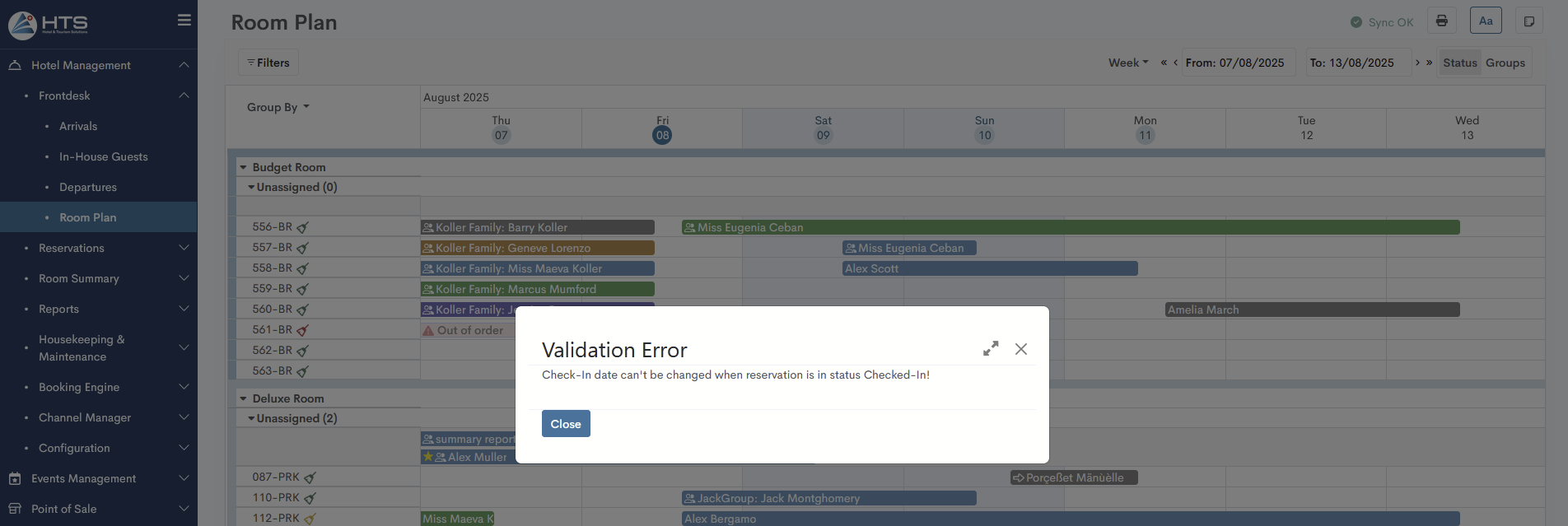
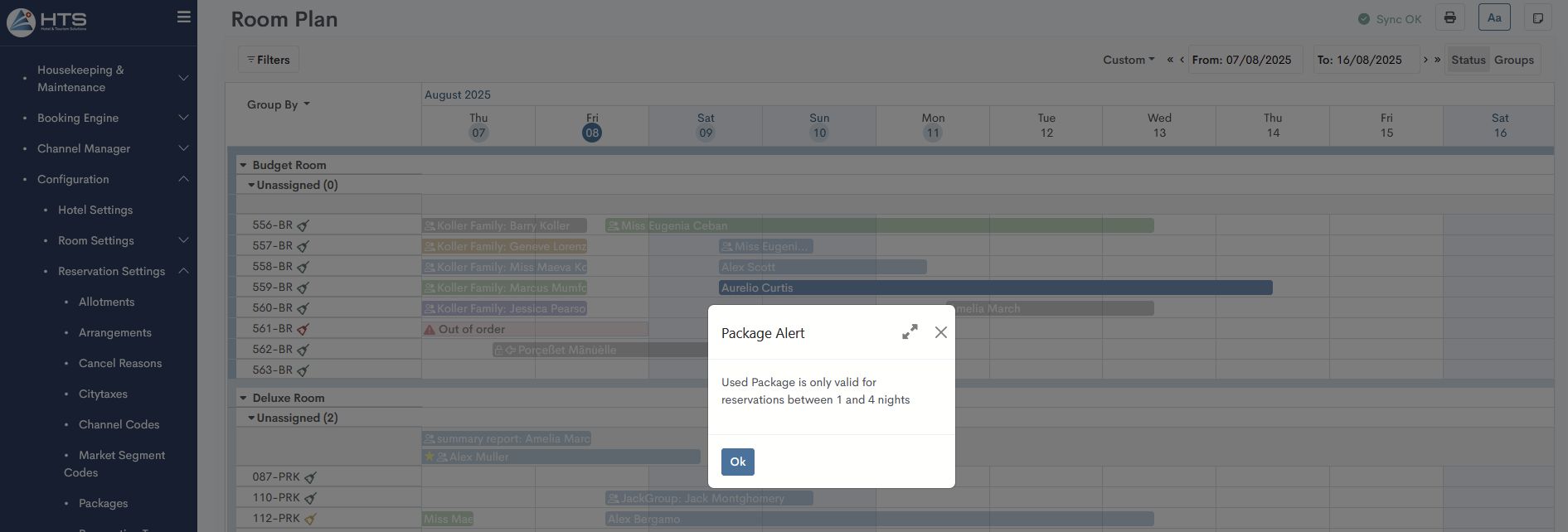
2. Packages - For package reservations, the same rules apply as for regular reservations and room sets, with one additional exception: the reservation cannot be shortened or extended beyond the minimum and maximum stay days defined in the settings of the specific package.
Drag&Drop Reservations
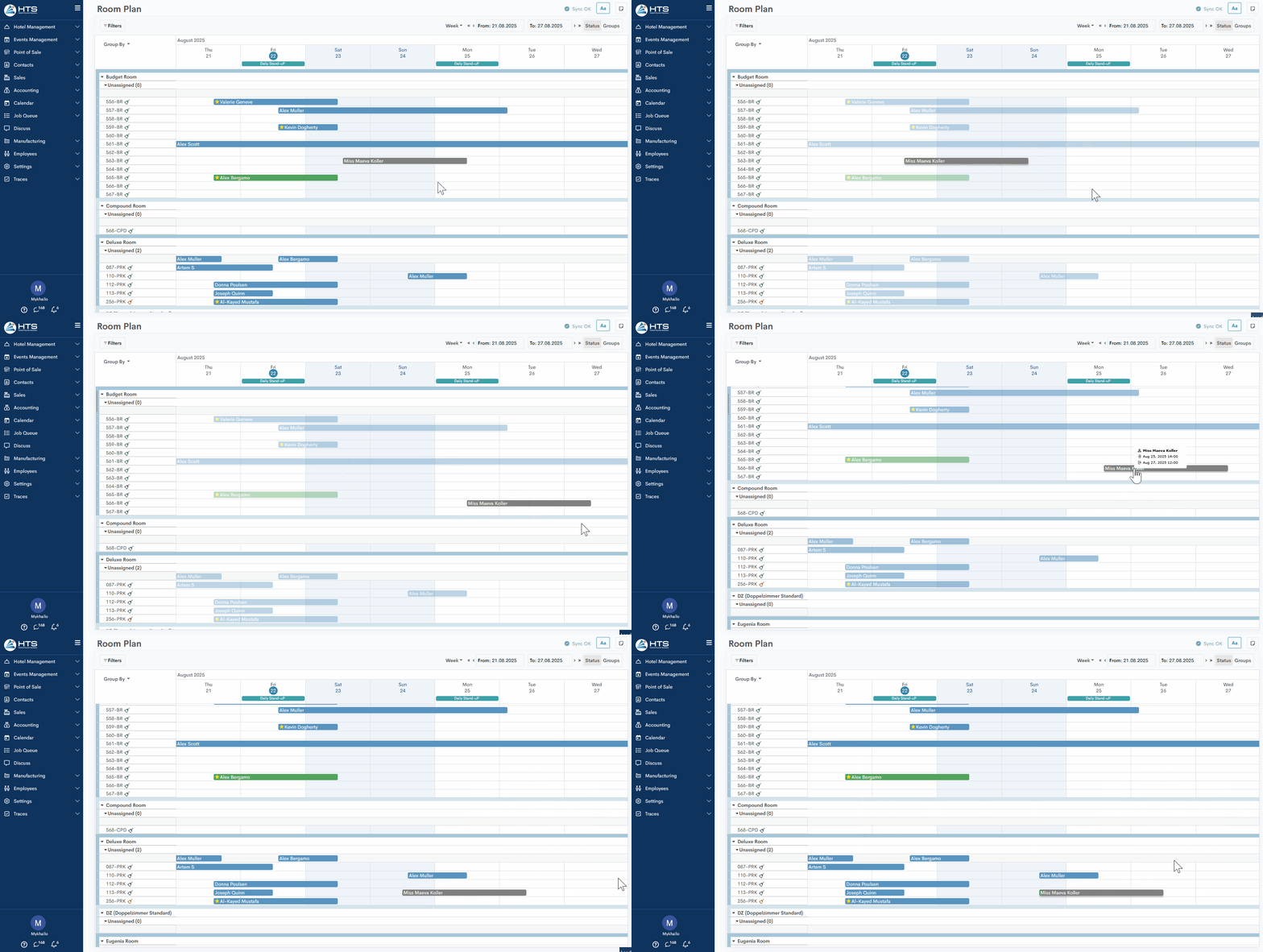
Within the Room Plan, the system also allows users to change reservation dates, room numbers, or room types using drag-and-drop; however, certain limitations apply:
- Room reservation - the system allows the user, via drag-and-drop, to adjust the dates within the current room, change the room number within the same room type, or change both the room type and the room number.
2. Room Set reservation - the system allows the user, via drag-and-drop, to adjust the dates within the current room or change the room number within the same room type; however, changing the room type is not allowed — a validation message appears.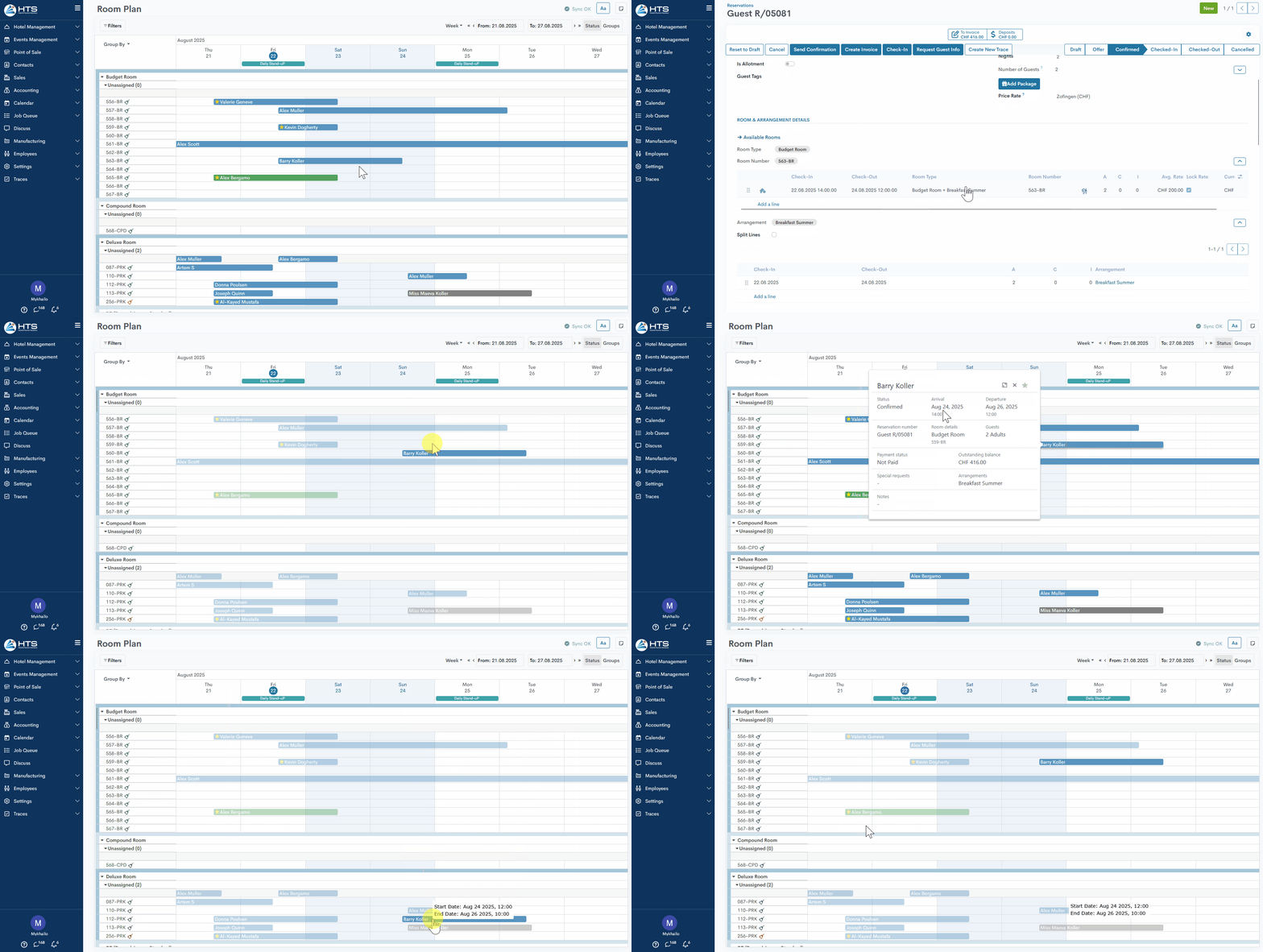
3. Package reservations - the system allows the user, via drag-and-drop, to adjust the dates within the current room (if attempting to go beyond the package validity date range, a validation message appears) or change the room number within the same room type; however, changing the room type is not allowed — a validation message appears.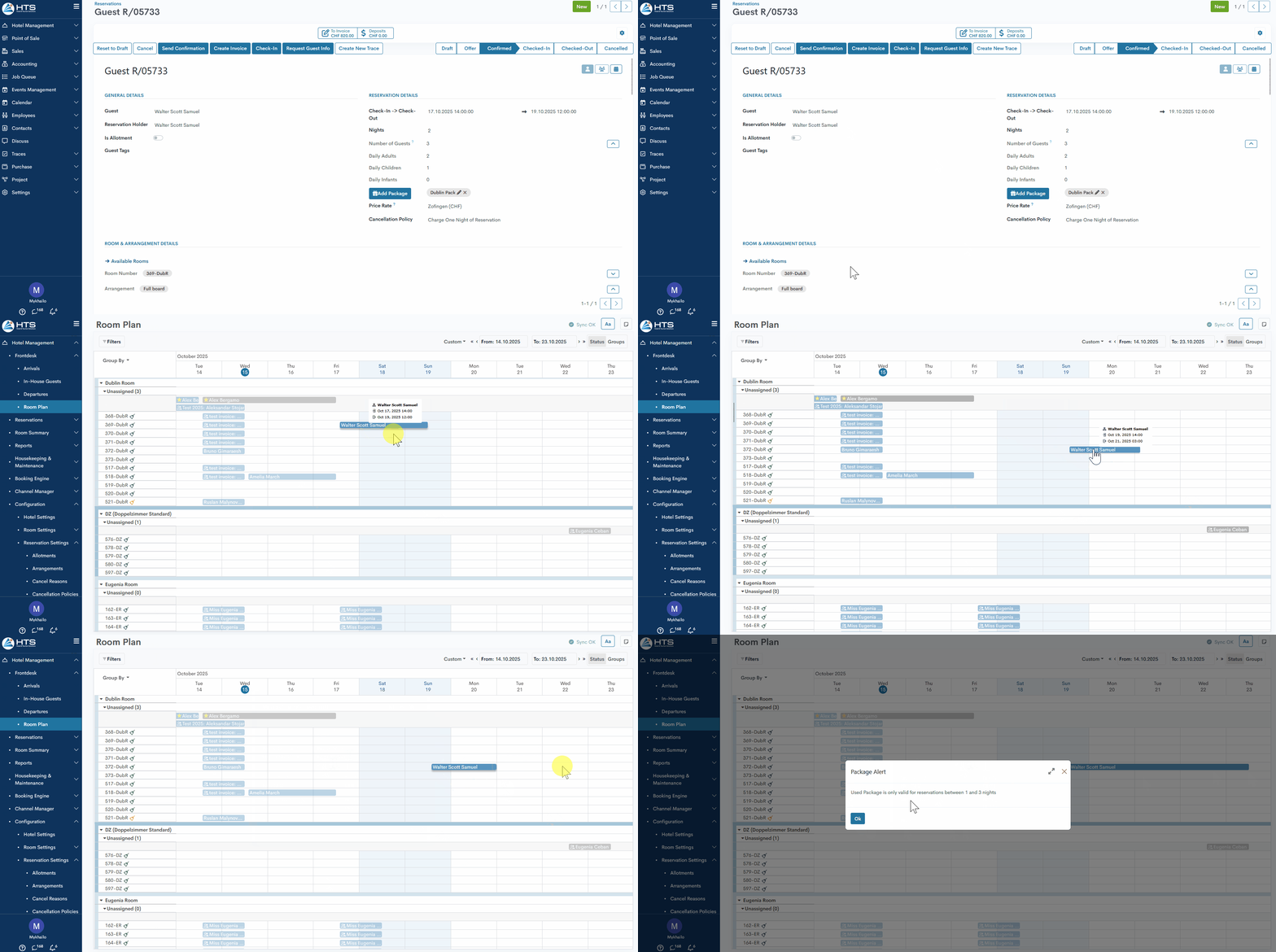
4. Unsplit group reservations - the system allows date changes only within the Unassigned section. If there are not enough rooms available for the selected dates, the system will display an overbooking warning message. 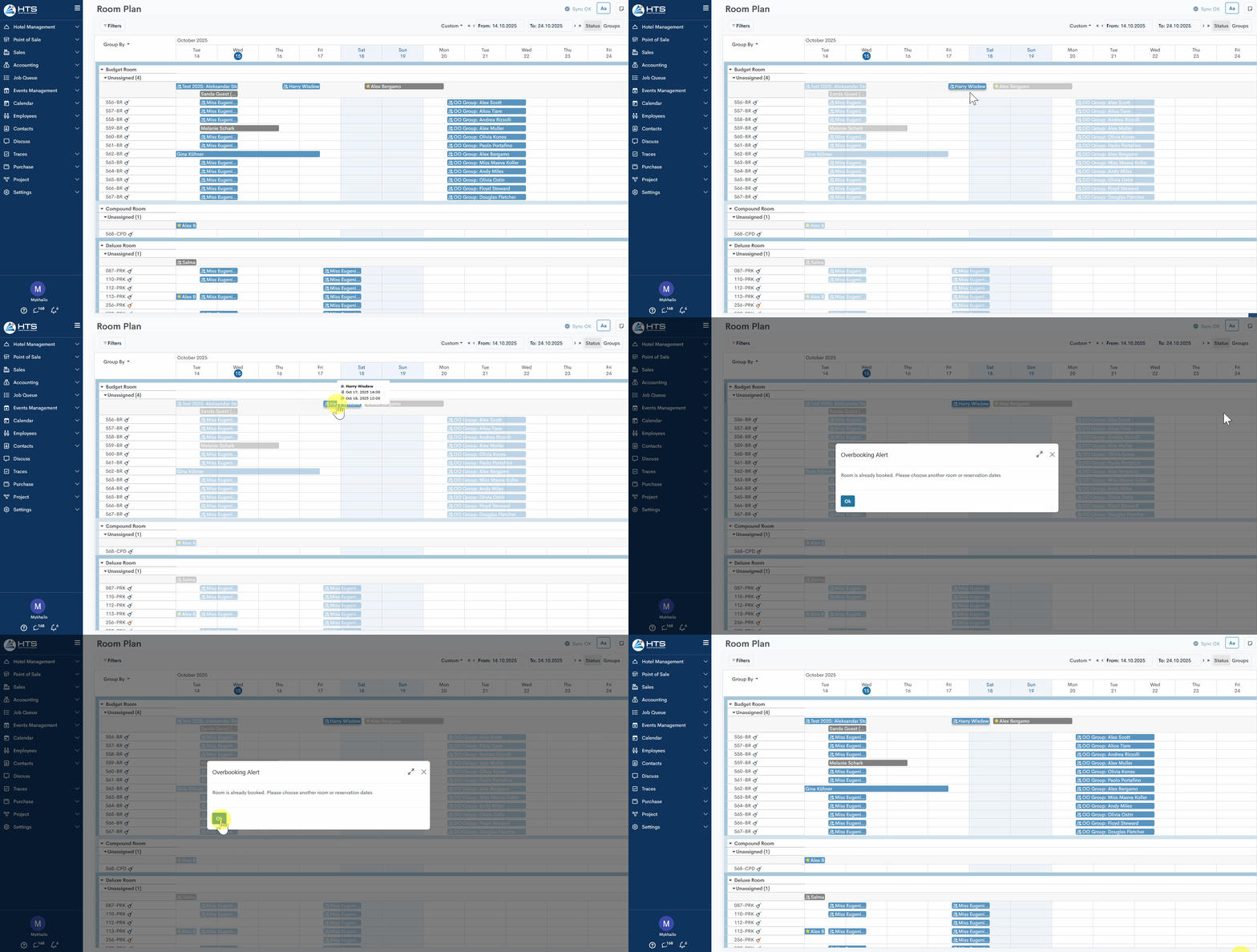
Momentan sind keine Kommentare vorhanden.
, um als erster einen Kommentar zu hinterlassen.