Under the "Occasions" menu, users can add various types of events such as weddings, seminars, parties, and more. Hotel staff can then customize the basic room setup according to the specific requirements of each occasion, ensuring that the event space is tailored to meet the needs of the guests and the nature of the event.
How to setup Event Occasions
To create a new event occasion or edit an existing one, follow these steps:
- in the 'Event Management' module click on the 'Configurations' tab;
- in the drop-down click on 'Event Occasions';
- to create a new occasion - click the 'New' button; to edit an existing one - click on an existing line.
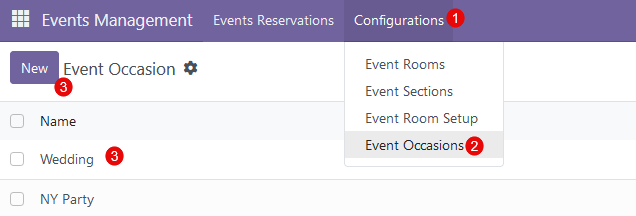
After clicking on the 'New' button, a new empty line appears - provide a name for a new event occasion. Here are some of the most common event occasions:
- Weddings
- Birthdays
- Anniversaries
- Corporate events
- Conferences
- Trade shows
- Product launches
- Charity events
These are just a few examples, but there are many more types of events that people celebrate or organize.
How to modify Event Occasions
All available event occasions are displayed in a list view in the 'Event Occasions'. 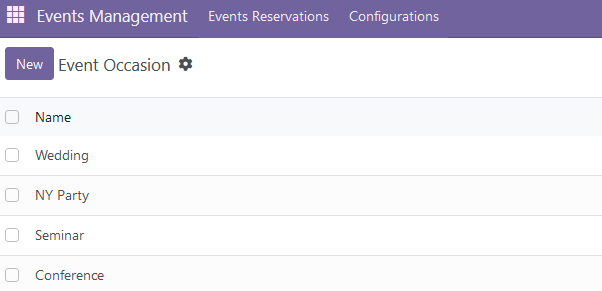
The following modification options are available:
- to edit the existing event occasion, click on the desired line and change a name;
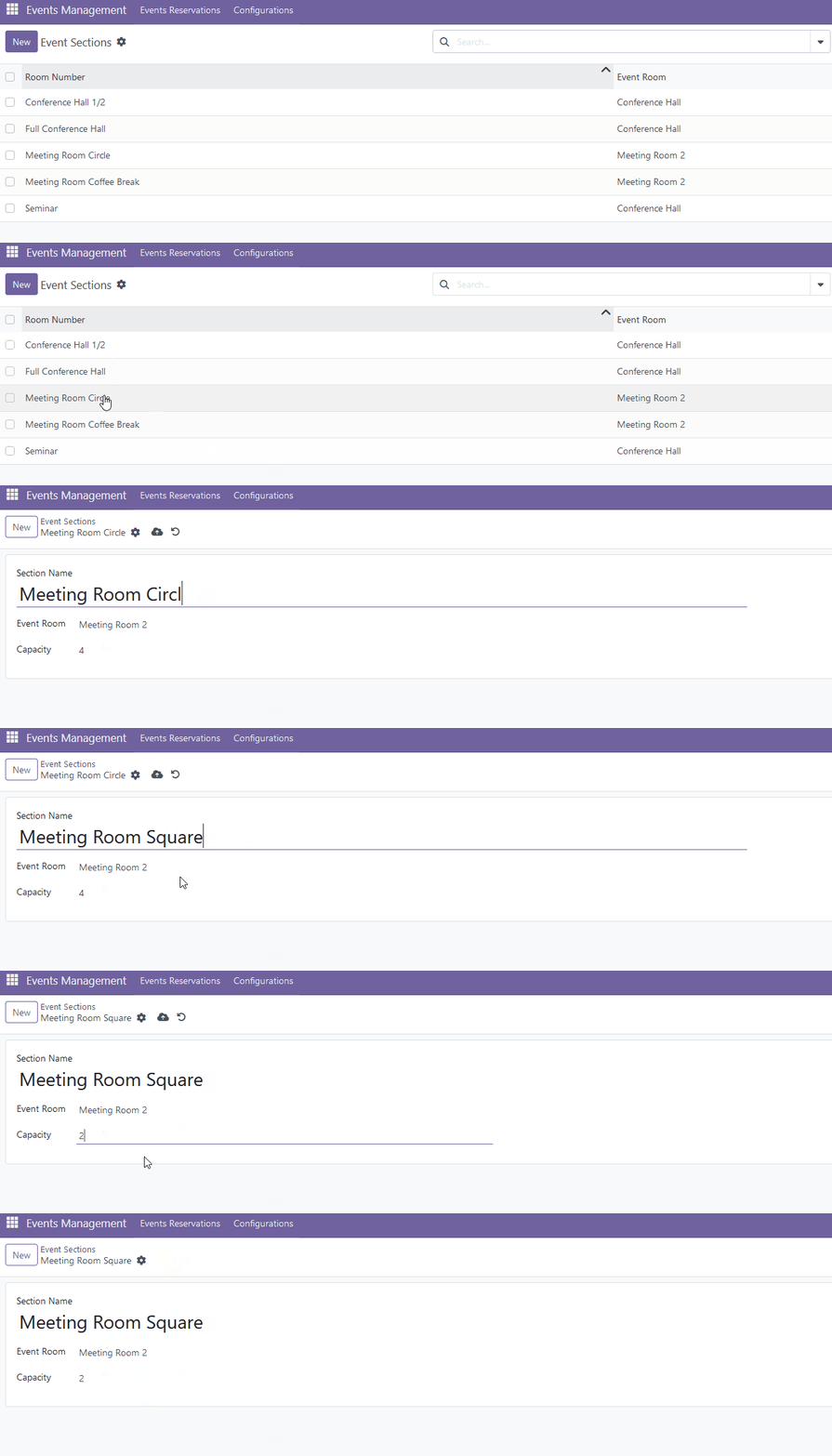
- to duplicate the existing event occasion, select the desired event room and click 'Actions' -> 'Duplicate';
- to archive the existing event occasion, select the desired event room and click 'Actions' -> 'Archive';
- to delete the existing event occasion, select the desired event room and click 'Actions' -> 'Delete'.
There are no comments for now.
to be the first to leave a comment.