The system has two ways how to create an event reservation. This allows hotel users to choose the most convenient booking method for them. This diversity helps to improve the speed of service and convenience for hotel users during the reservation process.
Event reservation via Event Management
The first way is through the Event Management. To do this, follow these steps:
- open the 'Event Management' module;
- in the navigation bar click on ' Events Reservations';
- click the 'New' button.
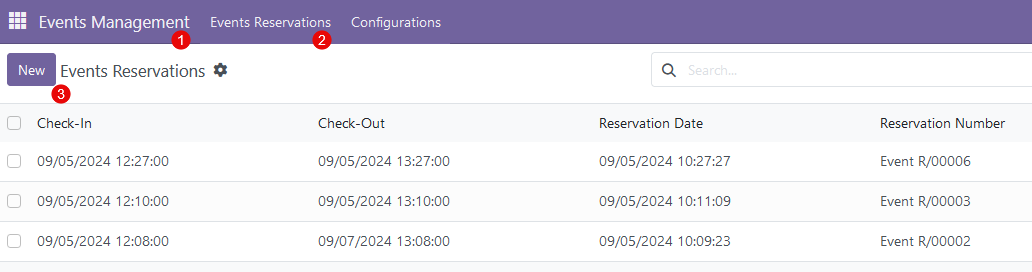
Following this, a reservation form will appear to continue creating the reservation.
Event reservation via Hotel Management
The second approach is via 'Hotel Management'. To do this, follow these steps:
- open the 'Hotel Management' module;
- in the navigation bar click on 'Reservations';
- pick 'New Reservation' among the other options;
- on the reservation mask click the icon 'Event'.
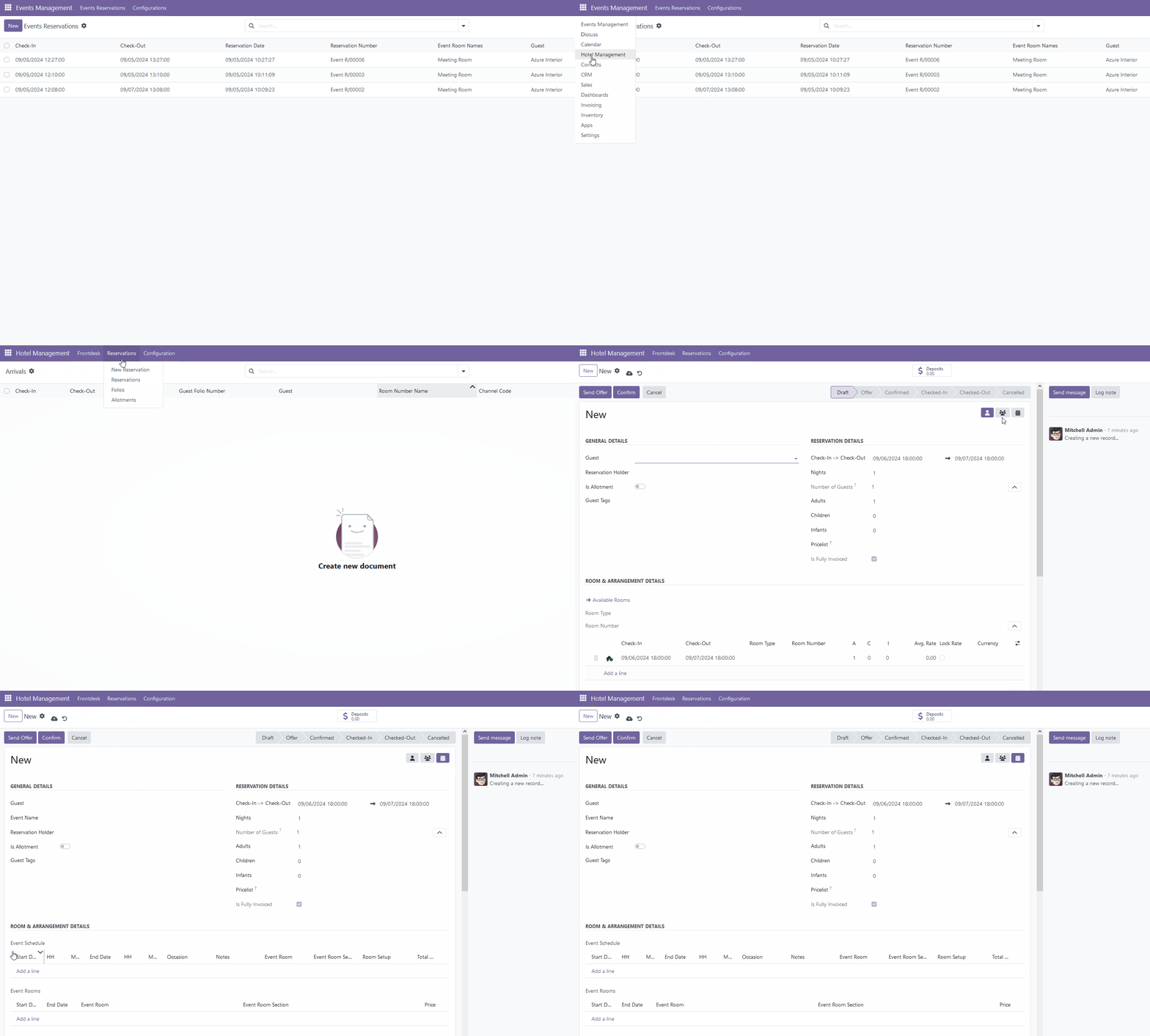
Event reservation mask
Event reservation mask have the same fields and structure as guest/group reservation masks (please check one of these articles - guest reservation mask or group reservation mask), except for two additional event sections.
Event Schedule
This section includes all necessary details about the date, time, and purpose of a specific event. To start, click 'Add a line' and fill in the following fields:
- Start Date and End Date - provide start and end date and time for a specific event or part of an event;
- Occasion - choose one of the available event occasions;
- Notes - add any notes that are valid for a current line;
- Event Room and Event Room Section and Room Setup - choose the event room and its section;
- Total Guests - define number of guests for a current event line.

Event Rooms
The system automatically propagates data on dates and room types from the event schedule section to the event rooms section - only need to specify the rental price for each room/room section for a certain period.

There are no comments for now.
to be the first to leave a comment.