Event rooms in hotels are essential for event management, providing a versatile space for various types of gatherings such as conferences, meetings, weddings, and parties. These rooms are equipped with audiovisual equipment, seating arrangements, and catering services to ensure a successful event. Hotel event rooms offer a convenient and professional setting for hosting events, making them a popular choice for event planners and organizers.
How to setup Event Rooms
To create a new event room or edit an existing one, follow these steps:
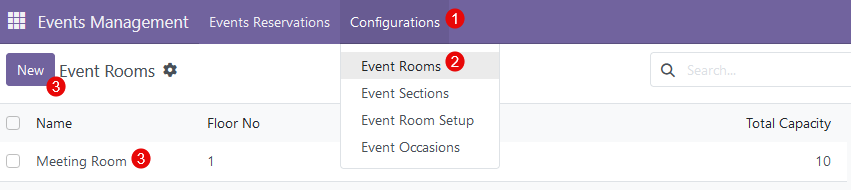
- in the 'Event Management' module click on the 'Configurations' tab;
- in the drop-down click on 'Event Rooms';
- to create a new room - click the 'New' button; to edit an existing one - click on an existing line.
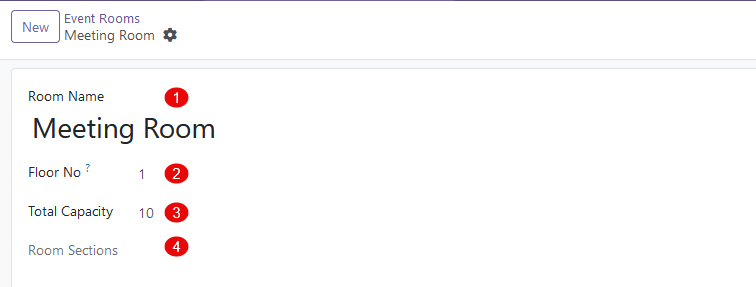
After clicking on the 'New' button or existing line, a new form with the following fields will be available for filling out:
- Room Name - provide a name for the event room;
- Floor No. - indicate the floor where this room is located;
- Total Capacity - specify the maximum capacity for the certain event room;
- Room Sections - if the room can be divided into certain sections, these sections will be displayed in this field (more details in this article).
How to modify Event Rooms
All available event rooms are displayed in a list view in the 'Event Rooms'. 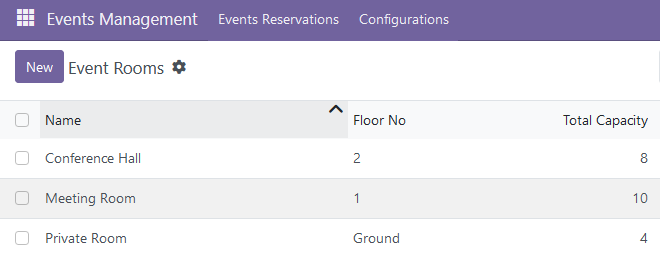
The following modification options are available:
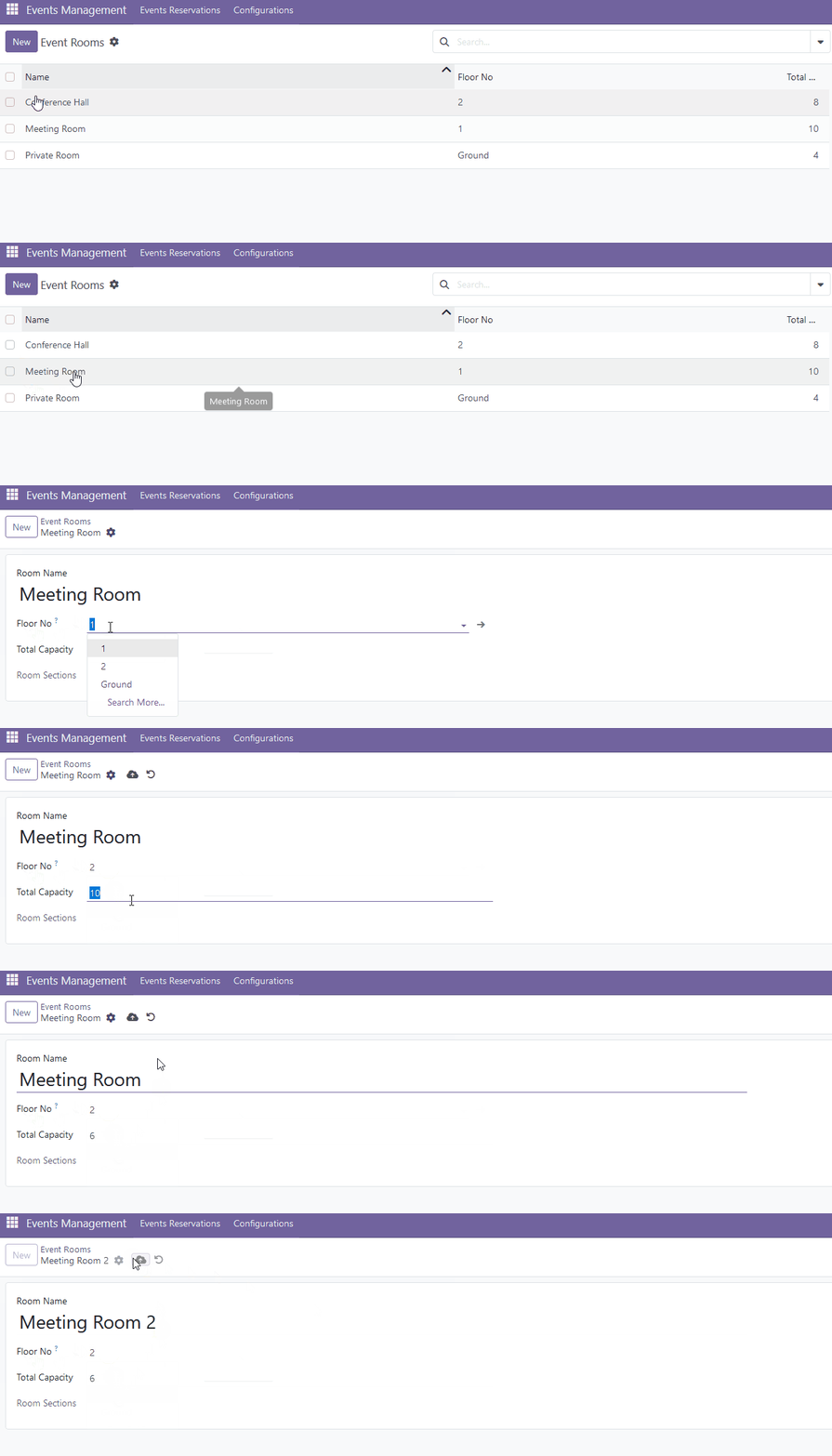
- to edit the existing event room, click on the desired line and make necessary changes - change a name, update total capacity, or change a floor;
- to duplicate the existing event room, select the desired event room and click 'Actions' -> 'Duplicate';

- to archive the existing event room, select the desired event room and click 'Actions' -> 'Archive';

- to delete the existing event room, select the desired event room and click 'Actions' -> 'Delete'.

Event Room Setup
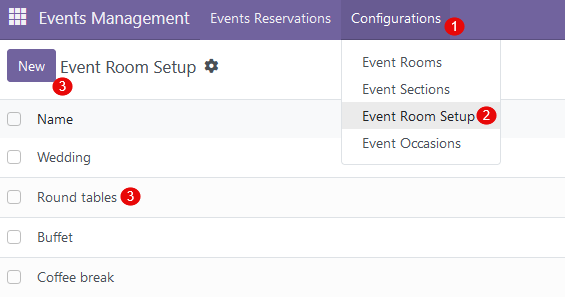
When setting up a room for different event occasions, it's important to consider the specific needs of each event. For formal events like weddings or corporate functions, arrange chairs in neat rows facing a central focal point, such as a stage or altar. Use round tables for a more intimate setting, ideal for events like birthday parties or holiday gatherings. To create a default event room setup, follow these steps:
- in the 'Event Management' module click on the 'Configurations' tab;
- in the drop-down click on 'Event Room Setup';
- to create a new room setup - click the 'New' button; to edit an existing one - click on an existing line.
There are no comments for now.
to be the first to leave a comment.