The breakfast report is a vital tool for hotel management, providing a comprehensive list of guests who have opted for breakfast on the current day. This report includes essential details such as the names of the guests and their corresponding room numbers, allowing staff to efficiently manage dining arrangements and ensure a smooth breakfast service. By tracking breakfast participation, the hotel can also assess guest preferences and optimize food inventory, enhancing the overall guest experience.
How to generate a Breakfast List
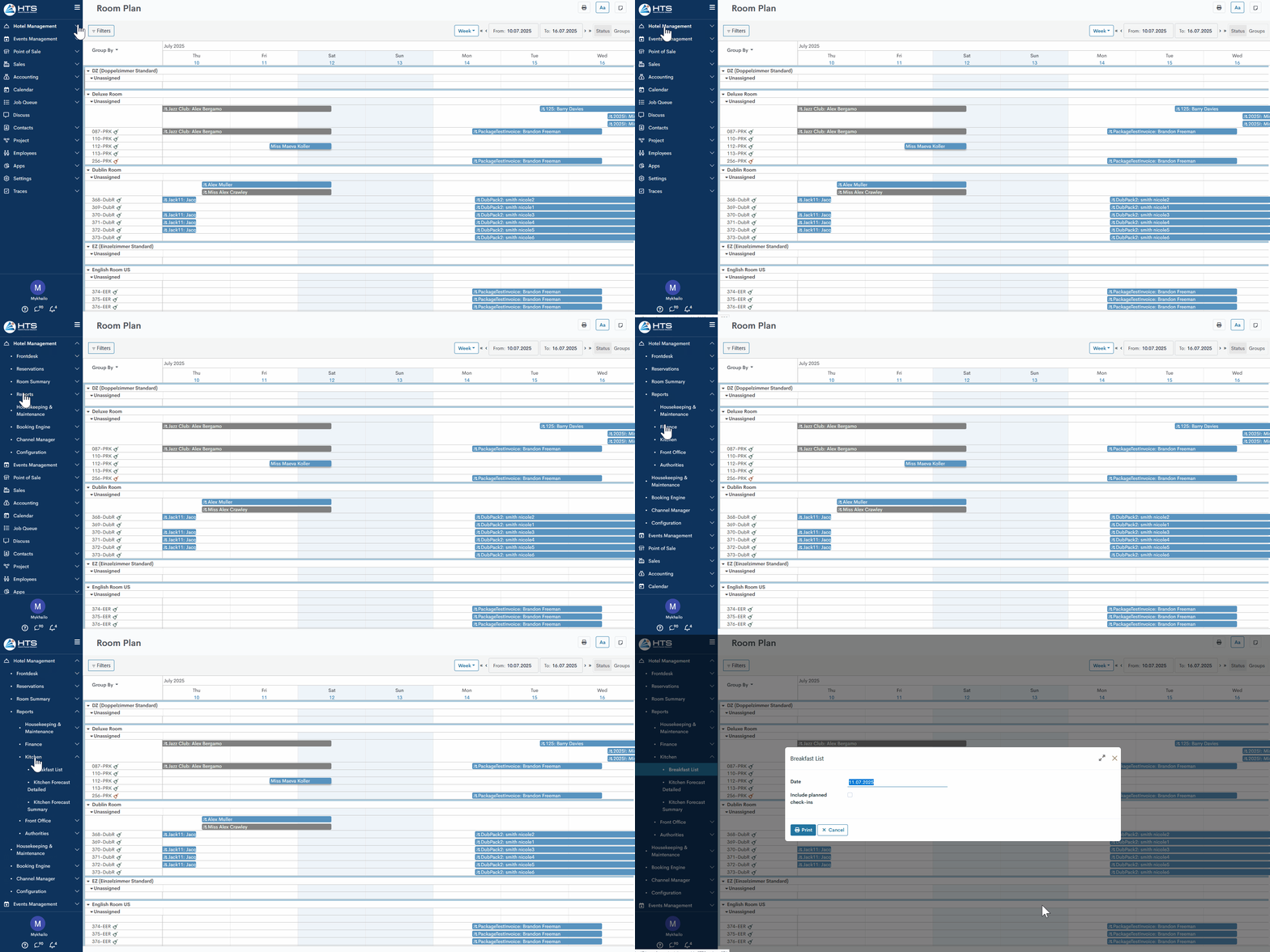
All hotel reports are available under the 'Reports' tab in the 'Hotel Management' module. These reports are divided into a few sections - kitchen reports, front office, finance, etc. To generate a breakfast list - follow these steps:
- open the 'Hotel Management' module;
- click the 'Reports' tab;
- click the 'Breakfast List' in the 'Kitchen' section.
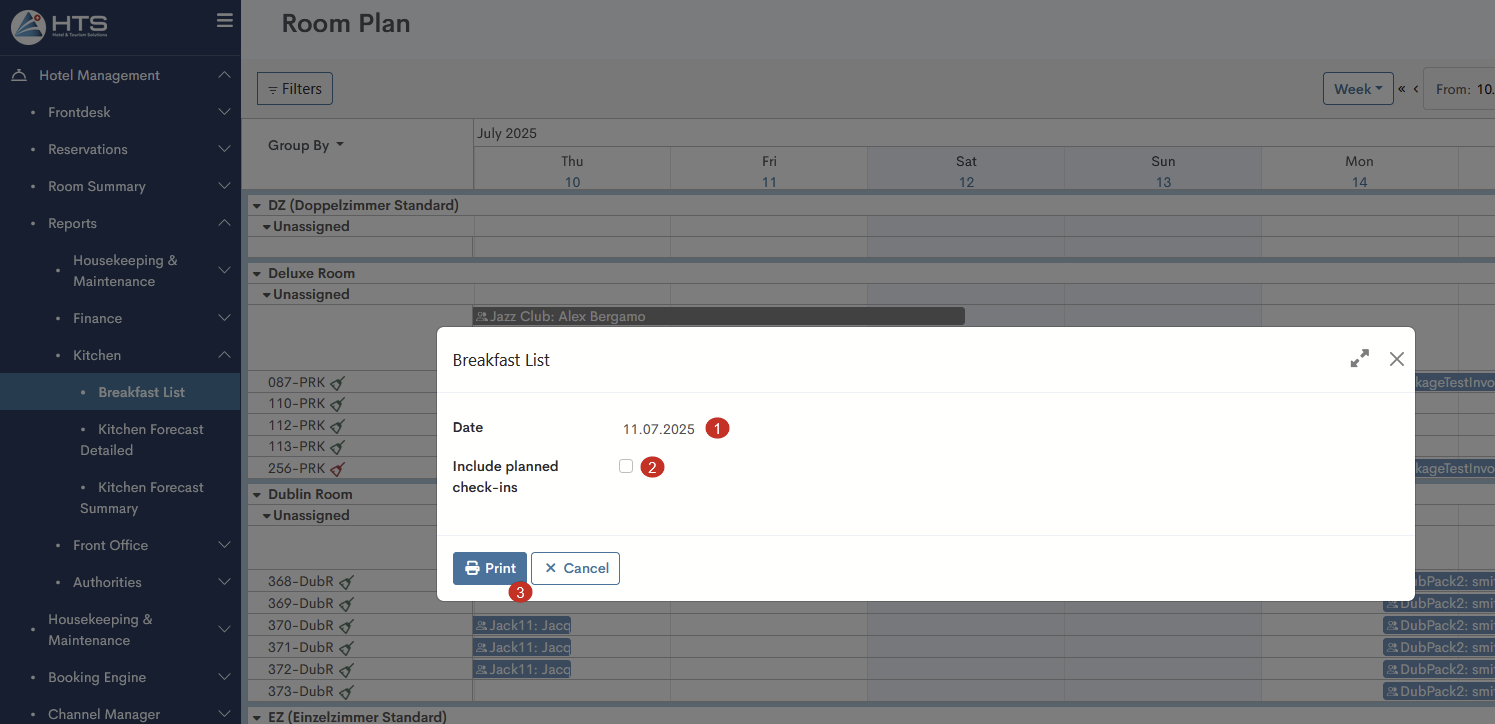
In the new wizard, provide the following information:
- indicate the date for which the report should be generated;
- to see all reservations for a chosen date, enable the check-box 'Include planned check-ins'.
3. click the 'Print' button to generate a report.
Breakfast List Layout
The report starts with a date marking its generation, followed by details about the person who created it and the time it was done.

The report is structured into three distinct sections:
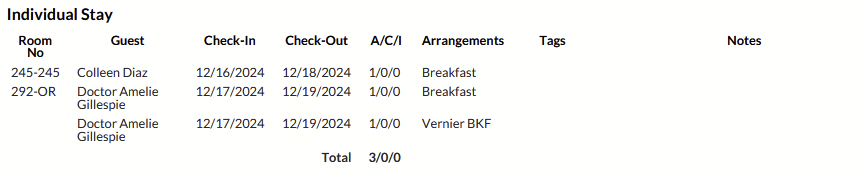
- Individual Stay - section for guest reservation. The following information is provided - room number, guest name, reservation dates, number of guests, arrangement name, tags, and notes;
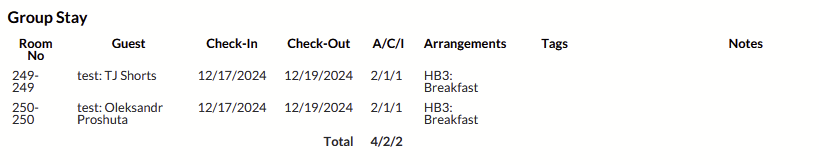
- Group Stay - section for group reservations and guest reservations that are a part of a group:
- group before split - all information under one line with the total number of guests for the whole group;
- group after split - each guest reservation in a separate line, combined under the group name.
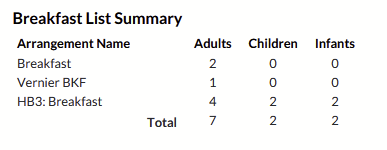
3. Breakfast List Summary - the system shows the total number of guests for each breakfast type.
There are no comments for now.
to be the first to leave a comment.