The HESTA report, or "HESTA" (which stands for "Harmonized European Social Taxation Assessment"), is conducted at the national level covering 6000 hotels, health establishments, and campsites. Its purpose is to gather data on the number of establishments, rooms, and beds and data on arrivals and overnight stays by visitors' country of residence.
How to generate a HESTA report
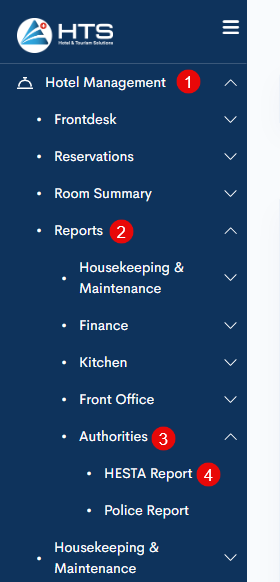
All hotel reports are available under the 'Reports' tab in the 'Hotel Management' module. These reports are divided into a few sections - kitchen reports, front office, finance, etc. To generate a HESTA report - follow these steps:
- open the 'Hotel Management' module;
- click the 'Reports' tab;
- choose 'Authorities'
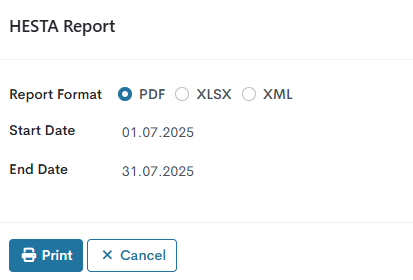
- click on the 'HESTA Report' in the 'Authorities' section.
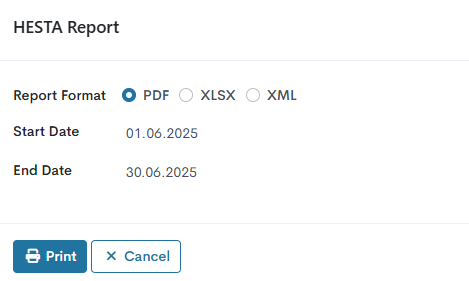
In the upcoming pop-up window, choose the report format - PDF, XLSX, or XML and the date range - Start Date and End Date - for which the report should be created.
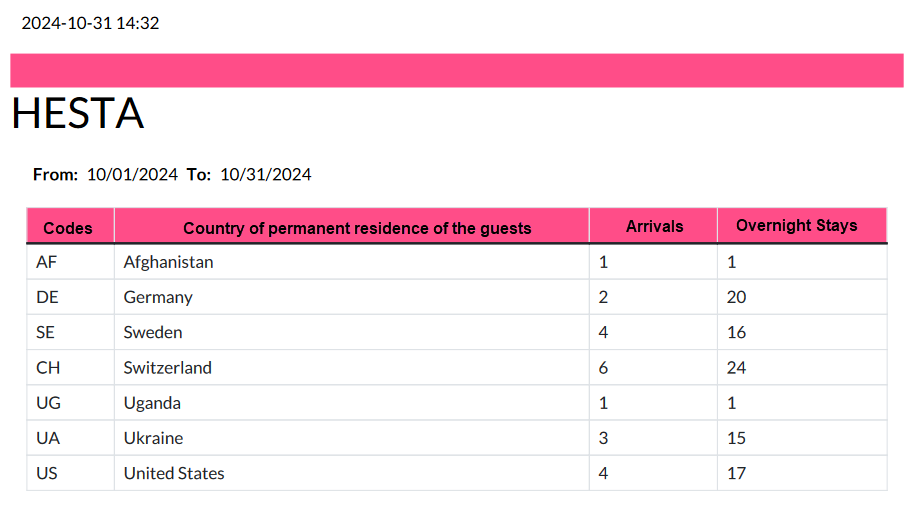
HESTA PDF report layout
The date and time when the report was generated can be found at the top. The following date range indicates the period for which the report was generated. The table itself consists of four columns, each presenting the following information:
- Codes - short country code;
- Country of permanent residence of the guests - a value from the 'Country' field in the guest contact card;
- Arrivals - number of adults and children (infants not included) in checked-in and checked-out reservations (individual and group) for a defined date range;
- Overnight Stays - number of nights spent by adults and children (infants not included) in checked-in and checked-out reservations (individual and group) for a defined date range.
Below the table the system counts the total values in the 'Arrivals' and 'Overnight Stays'.
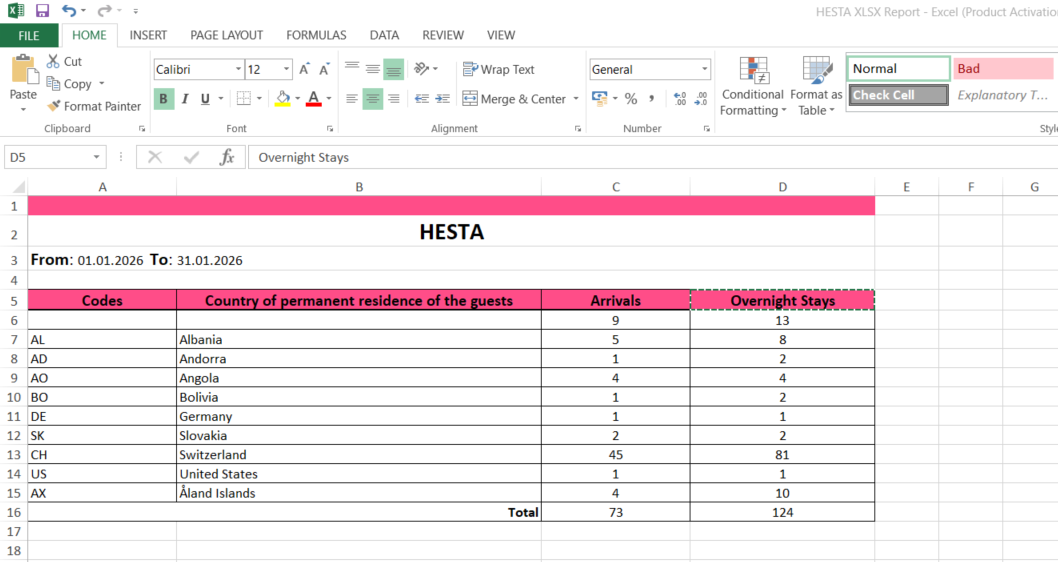
HESTA XLSX report layout
The date and time when the report was generated can be found at the top. The following date range indicates the period for which the report was generated. The table itself consists of four columns same as in PDF format: Codes, Country of permanent residence of the guests, Arrivals, Overnight Stays.
At the bottom of the table, the Totals are calculated for Arrivals and Overnight Stays.
HESTA XML report layout
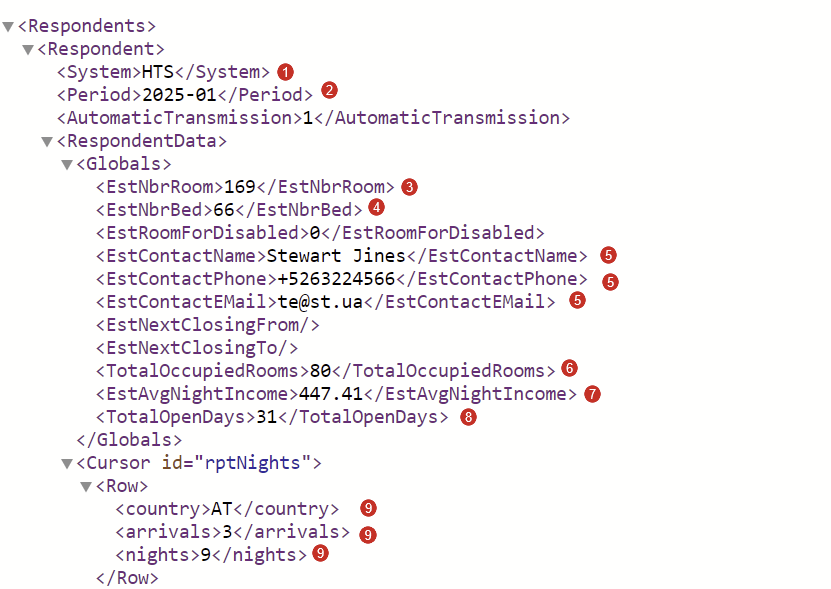
Now, the HESTA report can be generated not only in PDF format but also in XML format and then later be sent to the government.
The XML document consists of the following data:
- System - HTS
- Period - a month which was indicated in the pop-up
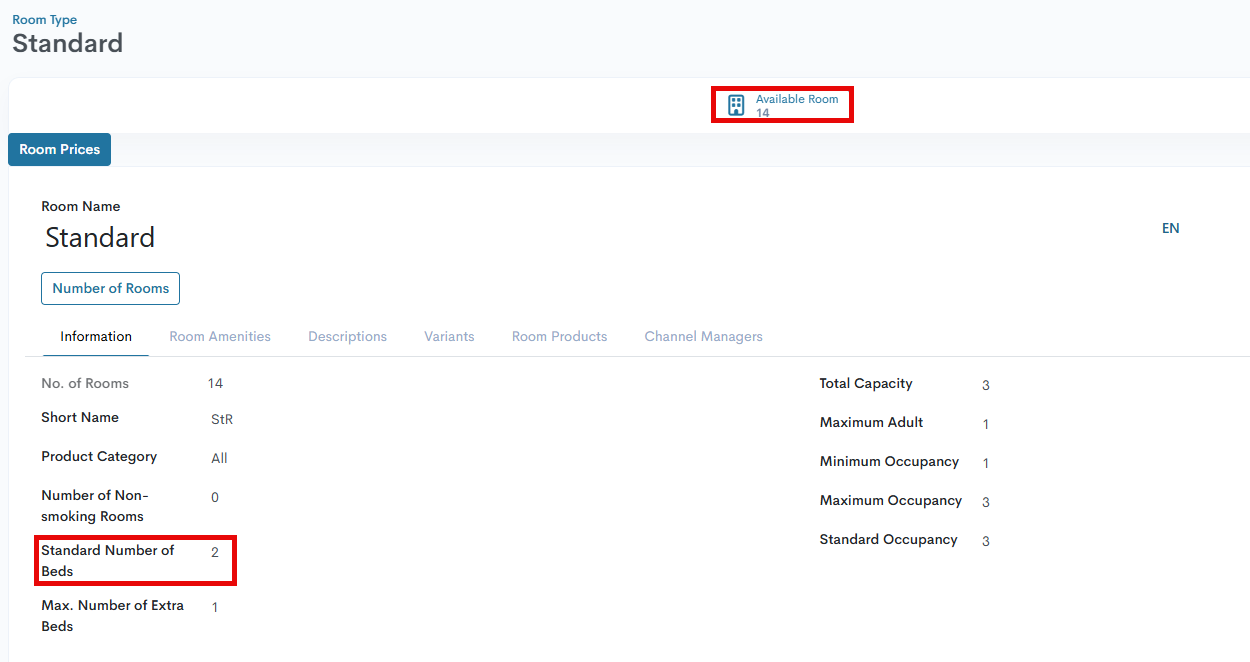
- EstNbrRoom - number of rooms in a certain hotel
- EstNbrBed - sum number of beds in all room numbers
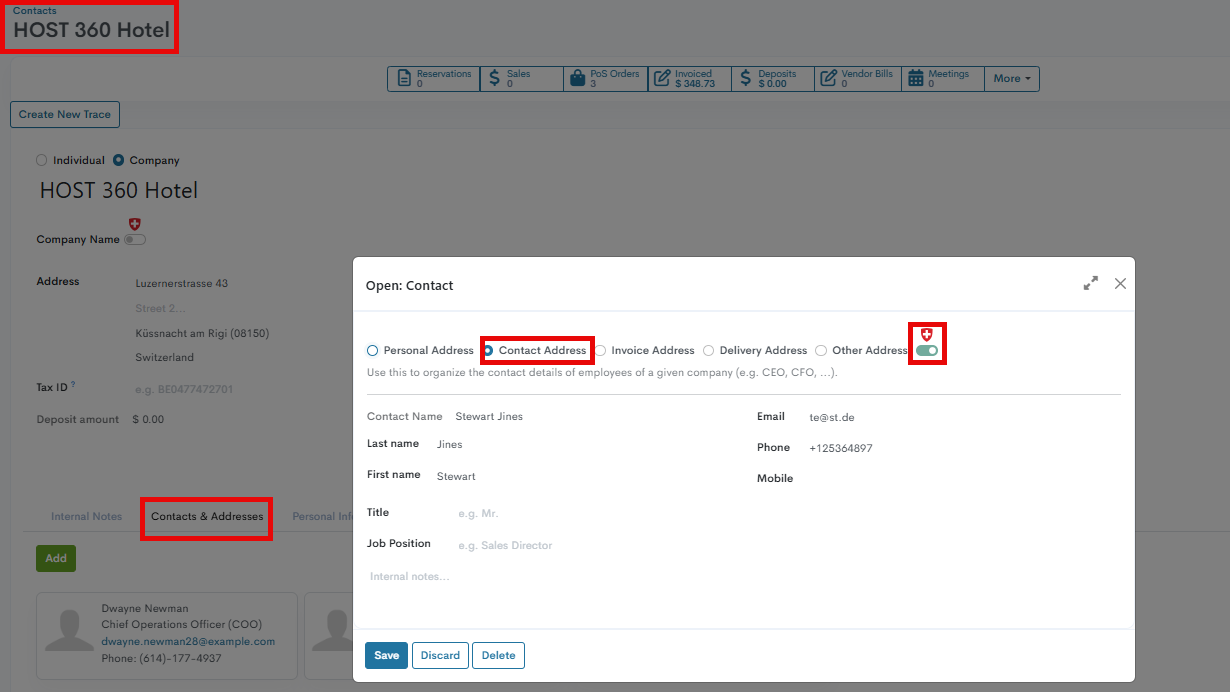
- EstContactName/EstContactPhone/EstContactEmail - contact person information in a hotel marked as HESTA Contact and added to the Contact&Addresses tab for the hotel contact page
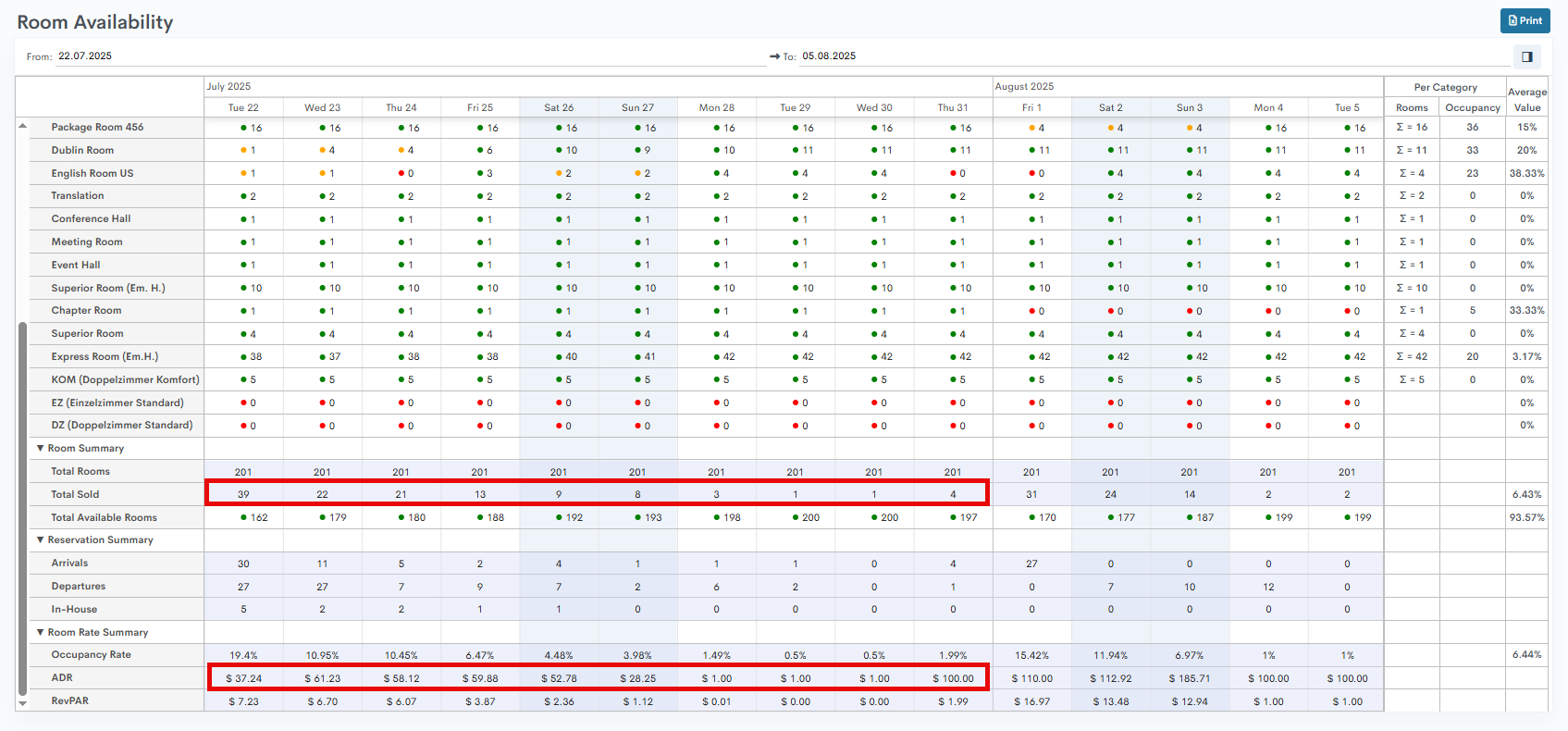
- TotalOccupiedRooms - total number of occupied rooms within a defined period
- EstAvgNightIncome - average income per overnight stay in the reference month. The formula is ∑(daily ADR * daily total sold rooms) / ∑daily total sold rooms
- TotalOpenDays - number of opening days in the reference month, information coming from the reporting period, for example, if the period is from 01.01.2025 to 31.01.2025, the number of opening days is 31.
- Country/Arrivals/Departures - country code and number of arrivals and overnight stays
There are no comments for now.
to be the first to leave a comment.