Accurate information regarding the number of reservations arriving, departing, or currently in-house for a specific date is crucial for effective hotel management. The daily report is a vital tool for decision-making, allowing management to anticipate occupancy trends and adjust operations as needed. Without precise information, the hotel risks overbooking, understaffing, or failing to provide the level of service that guests expect.
How to generate an In-House List
All hotel reports are available under the 'Reports' tab in the 'Hotel Management' module. These reports are divided into a few sections - kitchen reports, front office, finance, etc. To generate an In-House List - follow these steps:
- open the 'Hotel Management' module;
- Click the 'Reports'
- click on the 'In-House List' in the 'Front Office' section.
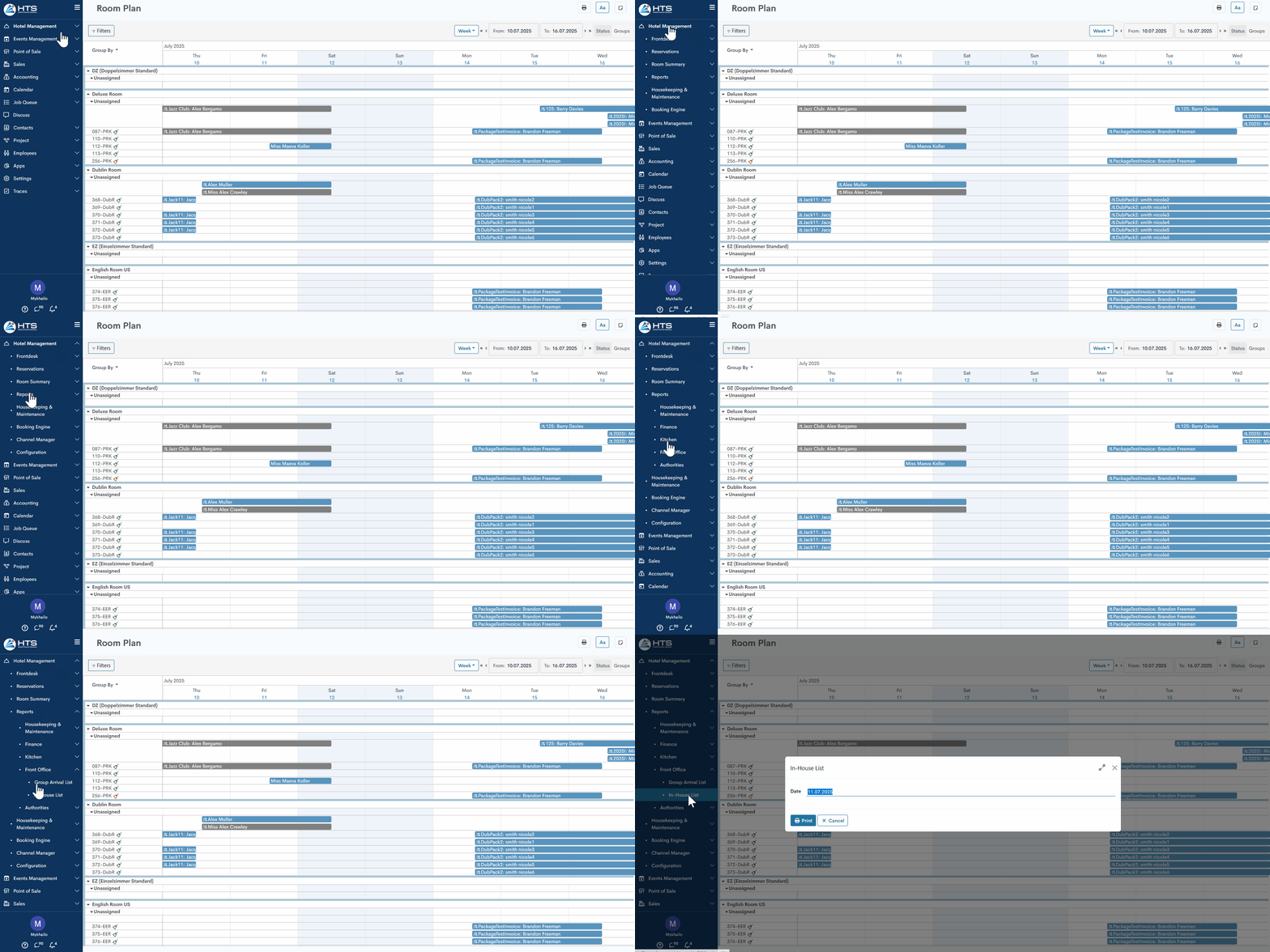
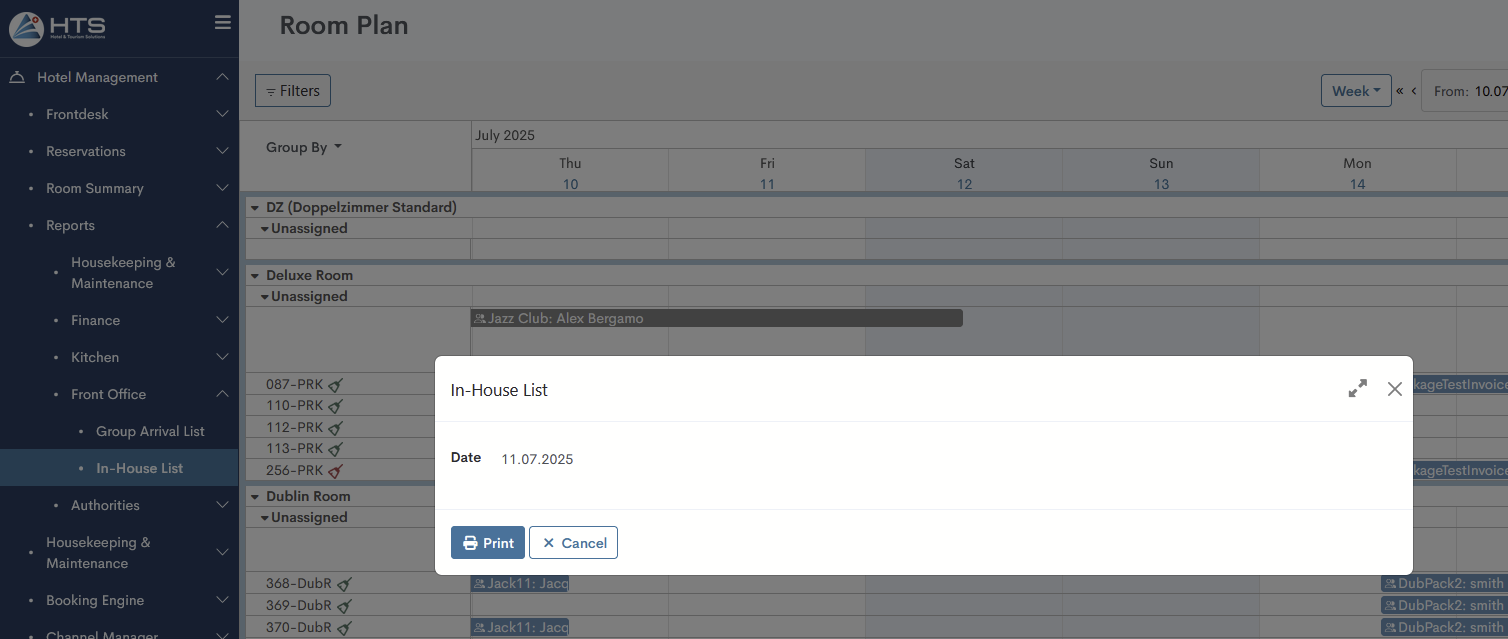
In the upcoming pop-up window, choose the date for which the report should be created.
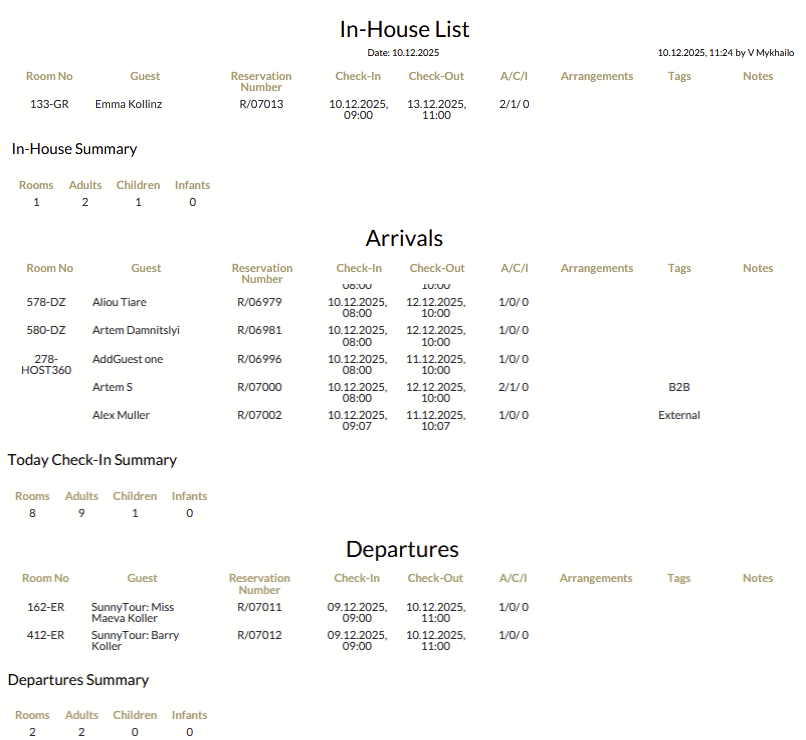
In-House List layout
The report starts with a date marking its generation, followed by details about the person who created it and the time it was done.
Below there are three sections:
- In-House - in this section appear all reservations in the 'Checked-In' status, where date of report generation is within reservation dates;
- Departures - in this section appear all reservations in the 'Checked-In' status, where check-out date equals to date of report generation;
- Arrivals - in this section appear all reservations in the 'Confirmed' status, where check-in date equals to date of report generation.
Each of these sections has the same fields:
- Room No - room number of a certain reservation;
- Guest - a guest name of a certain reservation;
- Reservation Number - a reservation number in the format R/XXXXX
- Check-In and Check-Out - a reservation dates of a certain reservation;
- A/C/I - number of adults, children, and infants;
- Arrangements - arrangements that added to a certain reservation;
- Tags - guest tags appear here;
- Notes - guest notes appear here.
There are no comments for now.
to be the first to leave a comment.