To ensure accurate record-keeping and compliance with local regulations, the hotel needs to maintain precise data on the number of adults and children who stayed during a specified period—whether it be daily, weekly, or monthly. This information should include details of guests who have already checked out. Additionally, the hotel must track the total amount of city tax collected and any exceptions that were applied during this timeframe. This information can be obtained by generating a Citytax report.
City Tax Report Formats
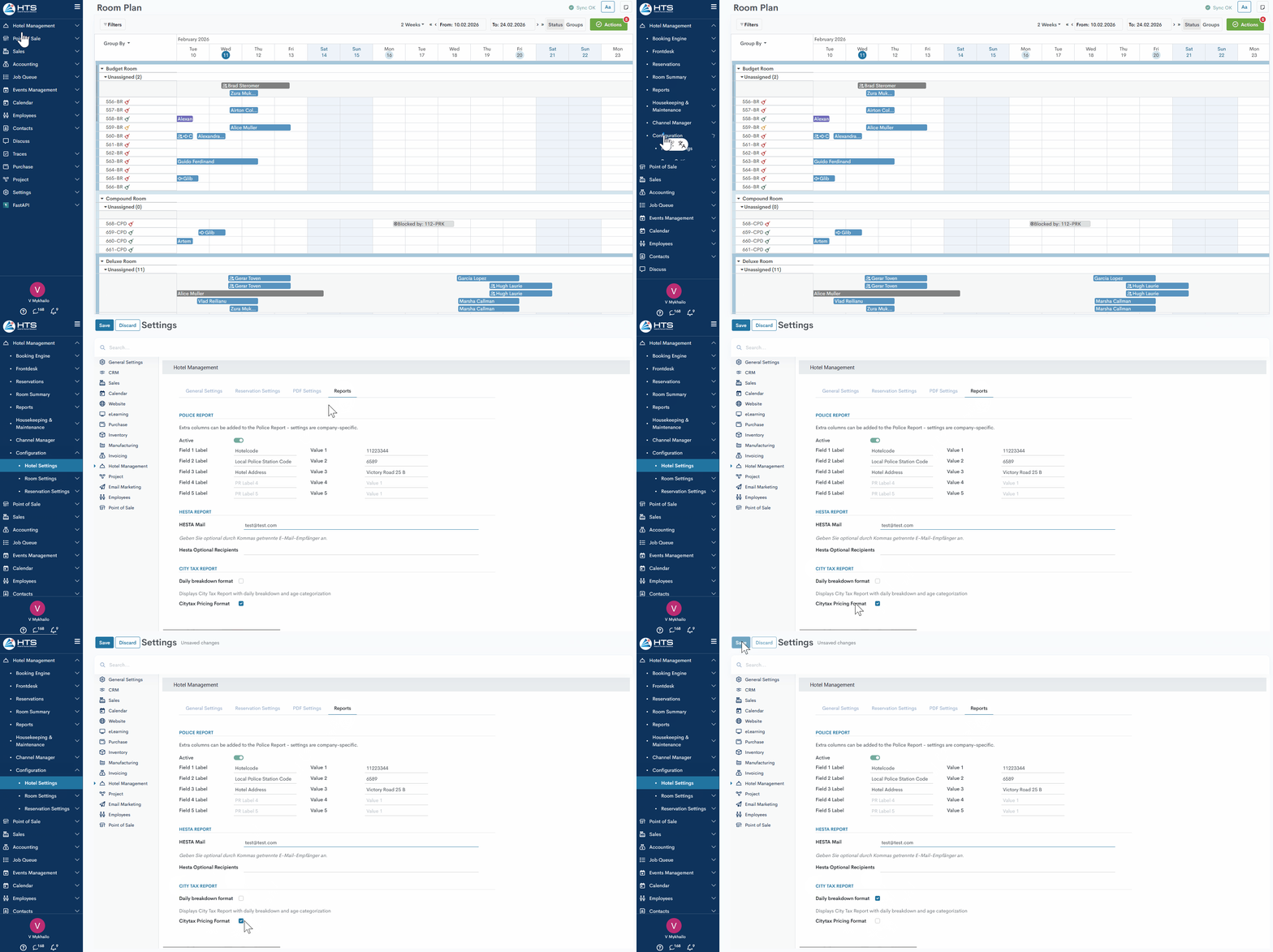
In the system settings, users can choose between two City Tax report formats: Daily Breakdown or Pricing Format.
To select the required format, follow these steps:
- Go through Hotel Management -> Configurations -> Hotel Settings
- Open the Reports tab
- In the City Tax Report section, select the desired format
How to generate a Citytax Report
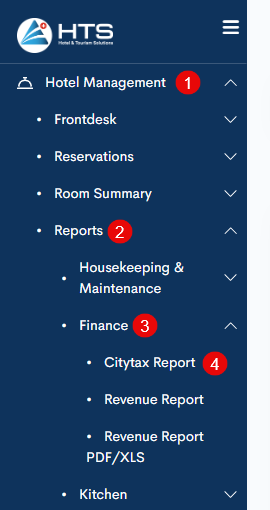
All hotel reports are available under the 'Reports' tab in the 'Hotel Management' module. These reports are divided into a few sections - kitchen reports, front office, finance, etc. To generate a Citytax Report - follow these steps:
- open the 'Hotel Management' module;
- click the 'Reports' tab;
- choose 'Finance';
- click on the 'Citytax Report' in the 'Front Office' section.
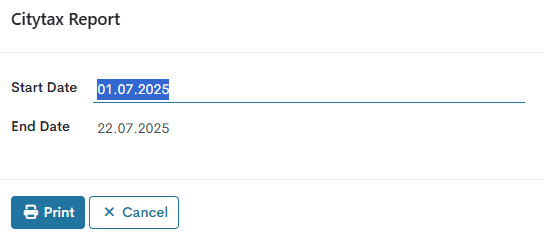
The next step is to define the date range for which the report needs to be generated - by default, the 'Start Date' is set to the first day of the current month and the 'End Date' to today's date.
Citytax Pricing Format
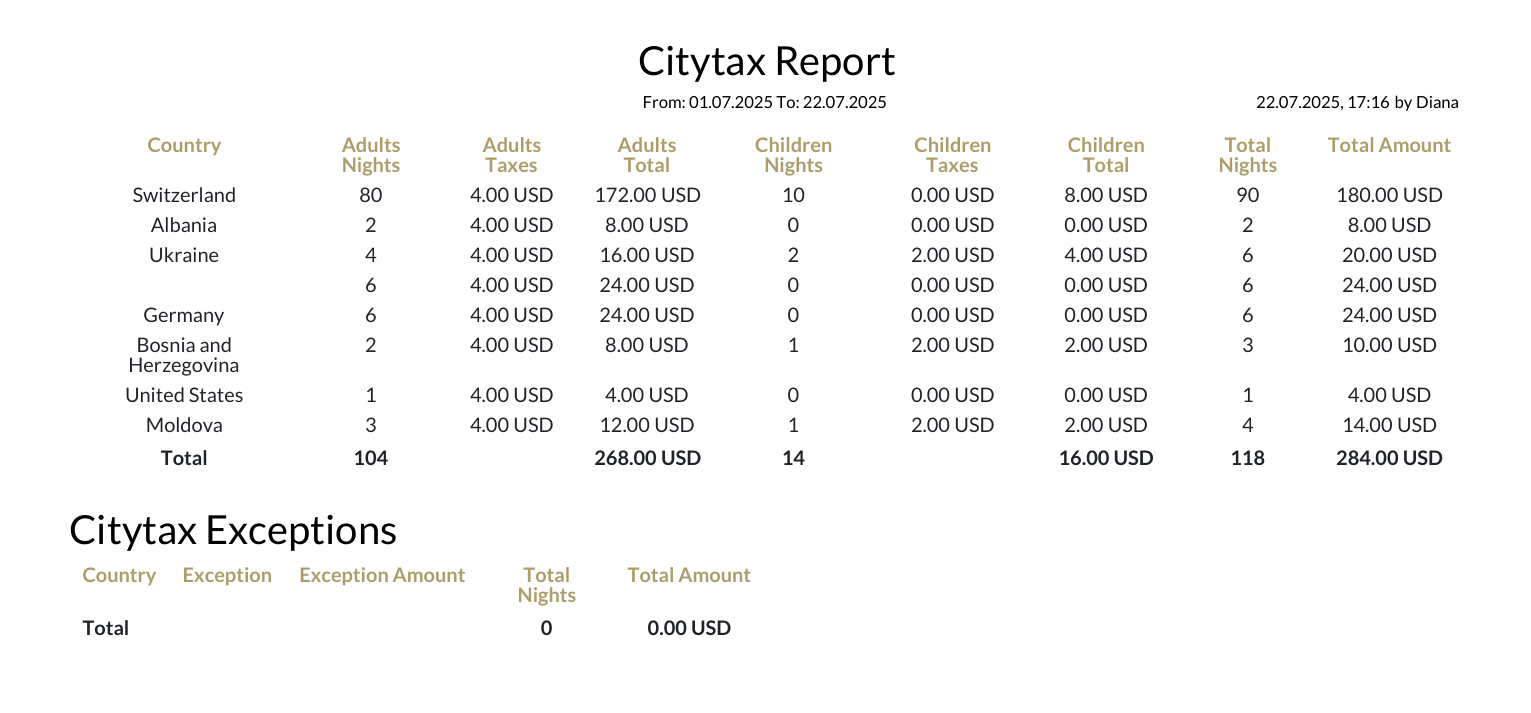
This report format is generated in PDF. The report starts with a date marking its generation, followed by details about the person who created it and the time it was done.
Below there are two sections:
- Citytax - in this section the system groups all guests by country for a defined date range who stay in the hotel;
- Citytax Exceptions - in this section the system groups all guests with citytax exceptions by country for defined date range who stay in the hotel.
Each of these sections has the same fields:
Citytax Daily Breakdown Format
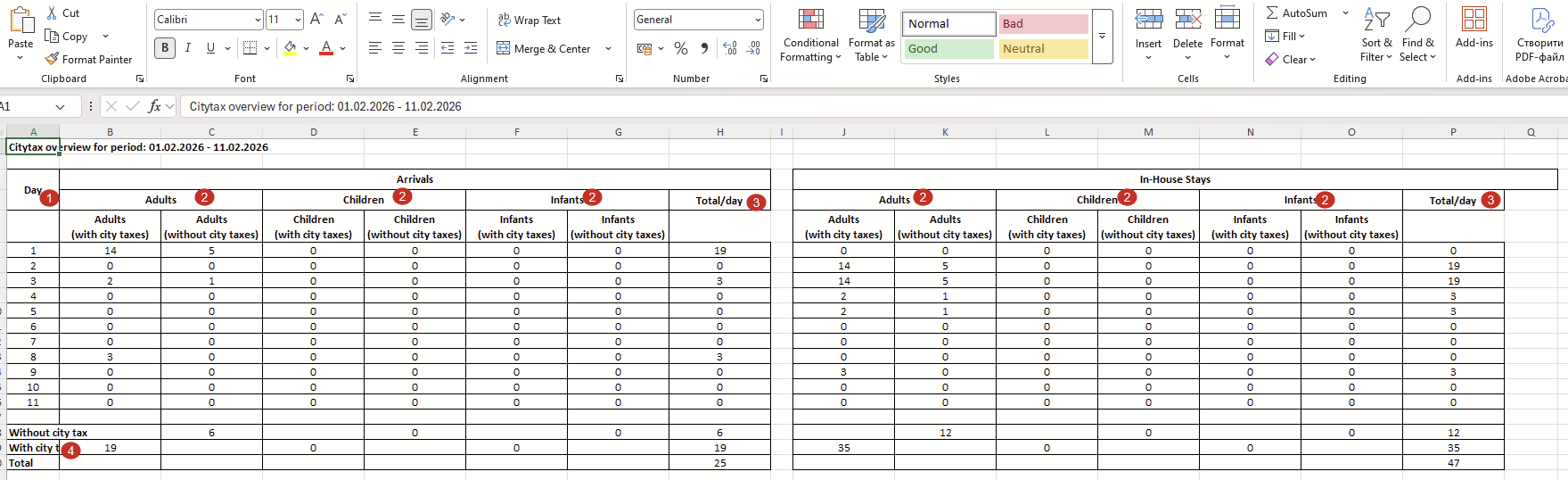
This report format is generated in Excel format. The top row displays the period for which this report was generated.
Below, two tables are displayed — Arrivals and Overnight Stays — with the following columns and fields:
- Day column — within the selected period, the system generates a separate row for each day.
- Adults / Children / Infants columns — the system shows the number of arrivals / overnight stays for each age category.
- The Total/day column contains information about the total number of city tax–applicable guests and city tax exceptions for each day.
- At the bottom of the table, the system calculates the total number of guests with city tax, without city tax, and the overall total.
There are no comments for now.
to be the first to leave a comment.