In the hospitality industry, effective planning is crucial for ensuring guest satisfaction and operational efficiency. One of the key tools for achieving this is the kitchen report, which provides insights into guest arrangements for meals such as breakfast, lunch, and dinner. A kitchen report is a document that outlines the expected number of guests for each meal service over a given period.
How to generate a Kitchen Forecast Detailed
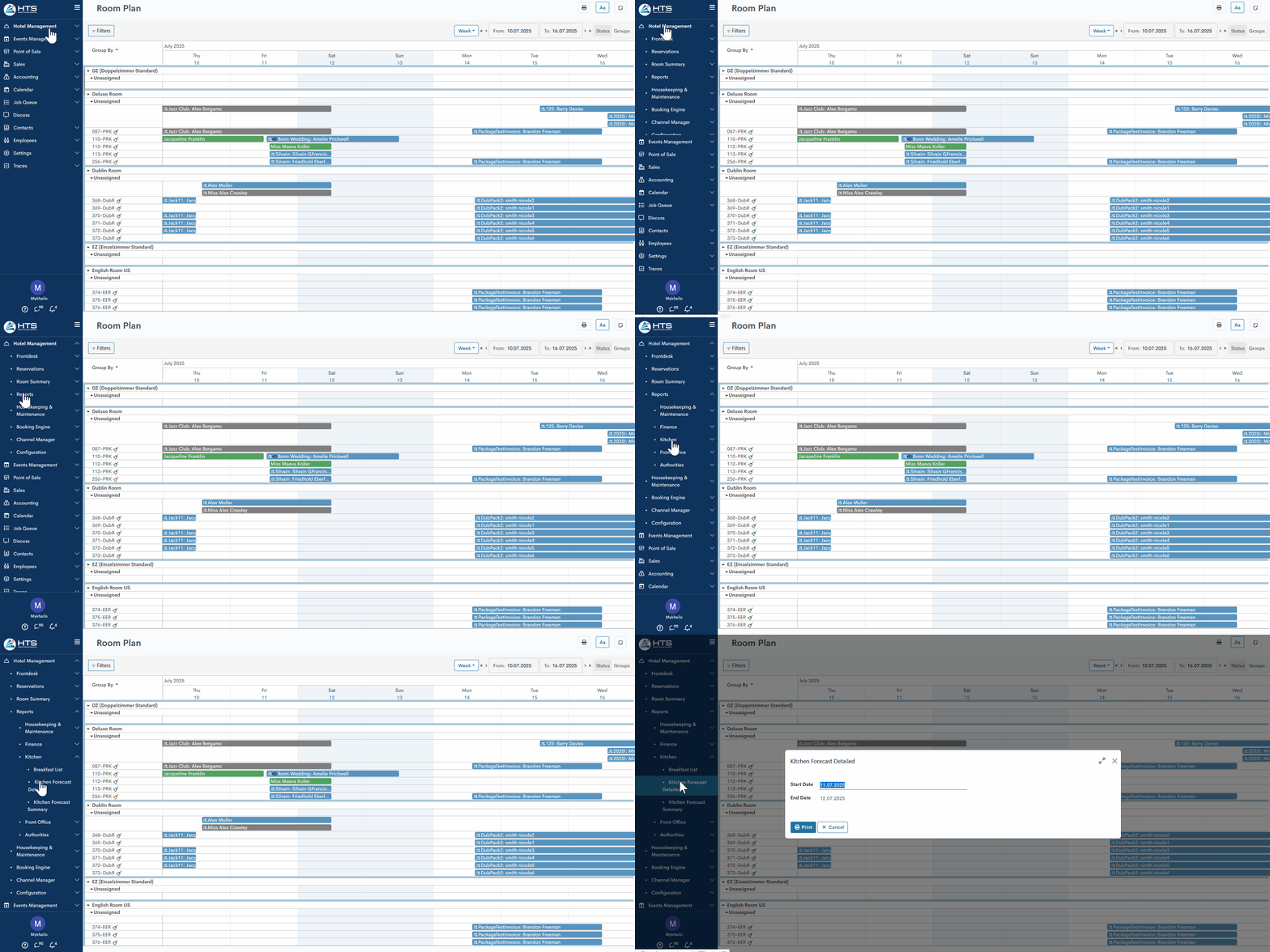
All hotel reports are available under the 'Reports' tab in the 'Hotel Management' module. These reports are divided into a few sections - kitchen reports, front office, finance, etc. To generate a kitchen forecast detailed - follow these steps:
- Open the 'Hotel Management'
- Click the 'Reports'
- Click the 'Kitchen Forecast Detailed' in the 'Kitchen' section
In the new wizard, set the date range for which the report has to be generated.
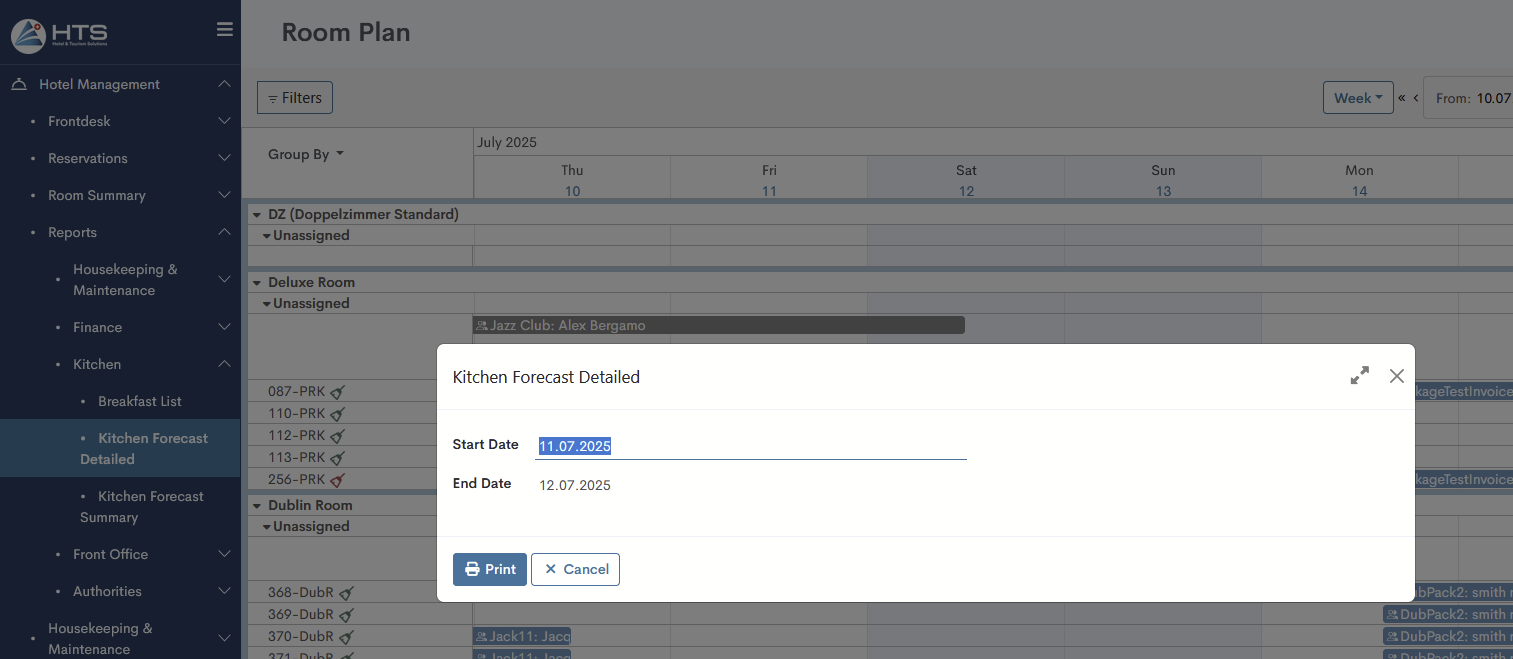
Kitchen Forecast Detailed layout
The report starts with a date marking its generation, followed by details about the person who created it and the time it was done.

In the report itself, all reservations in the system for a given date range are presented in the form of a list with the following information:
- Date - the month and date for which the report is generated;
- Room - room number of a certain reservation;
- Guest - the guest name of a certain reservation;
- A/C/I and Total - number of guests of each age category and total amount;
- Arrangement - a name of a specific arrangement appears here;
- B/L/D (Breakfast/Lunch/Dinner) and Total - due to arrangement type, the system counts it in a certain column and shows the total value;
- Tags - tags added to a reservation appear here - allergy, specific requests, etc;
- Notes -any specific notes of a certain reservation.
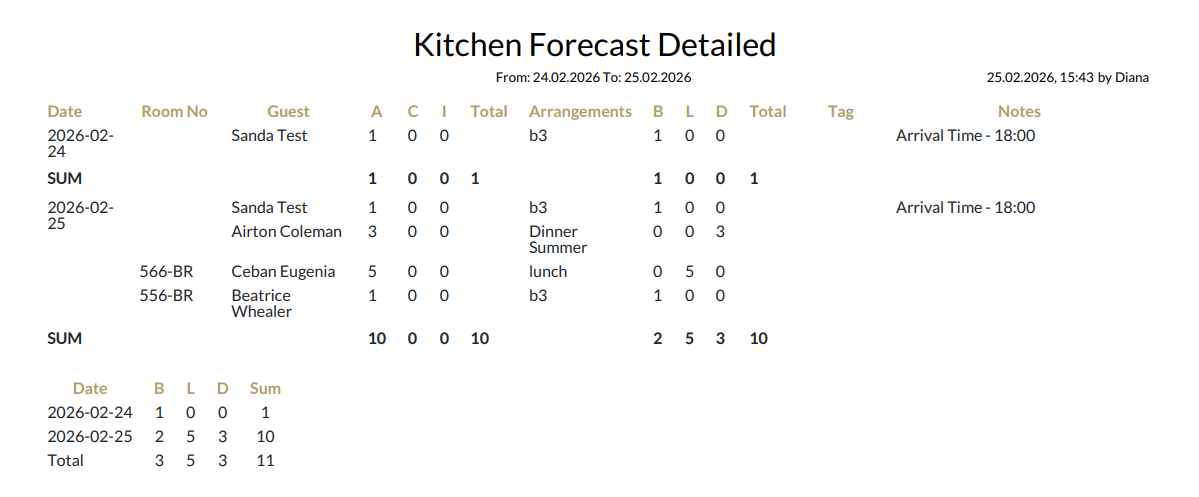
Each day's end features a 'SUM' row that aggregates the total number of guests (A/C/I) and meal types (B/L/D). Furthermore, a summary table for the entire reporting period is presented at the conclusion of the report.
There are no comments for now.
to be the first to leave a comment.